preview
We're still working on this feature, but we'd love for you to try it out!
This feature is currently provided as part of a preview program pursuant to our pre-release policies.
Query your Cloud Cost Intelligence (CCI) data with the New Relic Query Language (NRQL) to analyze your cloud spending and identify cost optimization opportunities. To run any of the queries on this page, go to one.newrelic.com > All Capabilities > Cloud Cost Intelligence and open the Query your data.
Available event types
You can query the following event types, each with a set of attributes for building detailed cost and usage queries. Event types with Full NRQL support accept any valid NRQL clause. Event types with Limited NRQL support accept only the clauses listed in Supported NRQL clauses:
Event type | Description | NRQL support |
|---|---|---|
| One event per billing line item from your cloud provider (AWS CUR, Azure FOCUS, and GCP BigQuery), updated hourly. Use for granular, unaggregated cost analysis. | Full |
| Individual Kubernetes cost allocation records from New Relic telemetry combined with billing exports, broken down by cluster, namespace, pod, and container. Use | Full |
| Billing data pre-aggregated from | Limited |
| Pre-processed Kubernetes cost data by cluster, namespace, pod, and container. Use | Limited |
| Real-time cost estimates generated by CCI at the resource level, including AWS instance details and metadata such as | Limited |
For a complete, always up-to-date reference of the events and attributes available in your account, use the data dictionary. To write effective NRQL queries, see the Introductory NRQL tutorial.
CloudSpend
CloudSpend and CloudCost contain the same billing data from your cloud provider, but differ in their NRQL capabilities. CloudSpend supports the full NRQL language and is the recommended choice for all new queries. CloudCost supports only a subset of NRQL clauses and is planned for deprecation.
CloudSpend ingests raw billing line items from AWS Cost and Usage Reports (CUR), Azure FOCUS exports, and GCP BigQuery exports, updated hourly. It shares key attributes with CloudCost, including line_item_net_unblended_cost, line_item_product_code, and line_item_usage_account_id. For a complete attribute reference, see the data dictionary.
Example query:
FROM CloudSpend SELECT * SINCE 24 hours agoFind your total cloud spend broken down by service over the last month:
FROM CloudSpend SELECT SUM(line_item_net_unblended_cost) FACET line_item_product_code SINCE 1 month agoSee how daily cloud spend is trending over time:
FROM CloudSpend SELECT SUM(line_item_net_unblended_cost) TIMESERIES 1 day SINCE 30 days agoKubernetesSpend
KubernetesSpend stores individual cost allocation records for Kubernetes workloads. It combines New Relic infrastructure telemetry with cloud billing exports to break down costs by cluster, namespace, pod, and container, and supports the full NRQL language.
Because Kubernetes node costs are shared across workloads, KubernetesSpend distributes them proportionally using cpu_weightage and memory_weightage. Multiply net_unblended_cost by (cpu_weightage + memory_weightage) for accurate per-workload cost totals. For a complete attribute reference, see the data dictionary.
Example query:
FROM KubernetesSpend SELECT * SINCE 1 week agoCloudCost
Important
We recommend using CloudSpend for all cost and usage analysis. It provides the same billing data as CloudCost with full NRQL support.
CloudCost is a summary event generated by Cloud Cost Intelligence from cloud provider Cost and Usage Reports (CUR). It provides billing line item data including resource usage, costs, and account metadata across AWS and Azure accounts, updated hourly. Because CloudCost is pre-aggregated, it supports only a subset of NRQL clauses. For full NRQL flexibility, use CloudSpend.
Key attributes
The following attributes are most useful for building CloudCost queries:
| Attribute | Description |
|---|---|
line_item_net_unblended_cost | After-discount cost for the line item, specific to the individual account. |
line_item_product_code | Cloud provider service code (for example, AmazonEC2 for AWS or Virtual Machine Scale Sets for Azure). |
line_item_usage_account_id | 12-digit AWS account ID of the account that used this line item. |
line_item_usage_account_name | Display name of the cloud account or subscription. |
line_item_unblended_cost | Cost at standard On-Demand rates before any Reserved Instance, Savings Plan, or volume discounts. |
amortised_cost | Amortized cost including upfront reservation or savings plan fees spread over the usage period. |
is_k8s | Flag indicating whether the cost is associated with a Kubernetes workload. |
Example query:
FROM CloudCost SELECT * SINCE 24 hours ago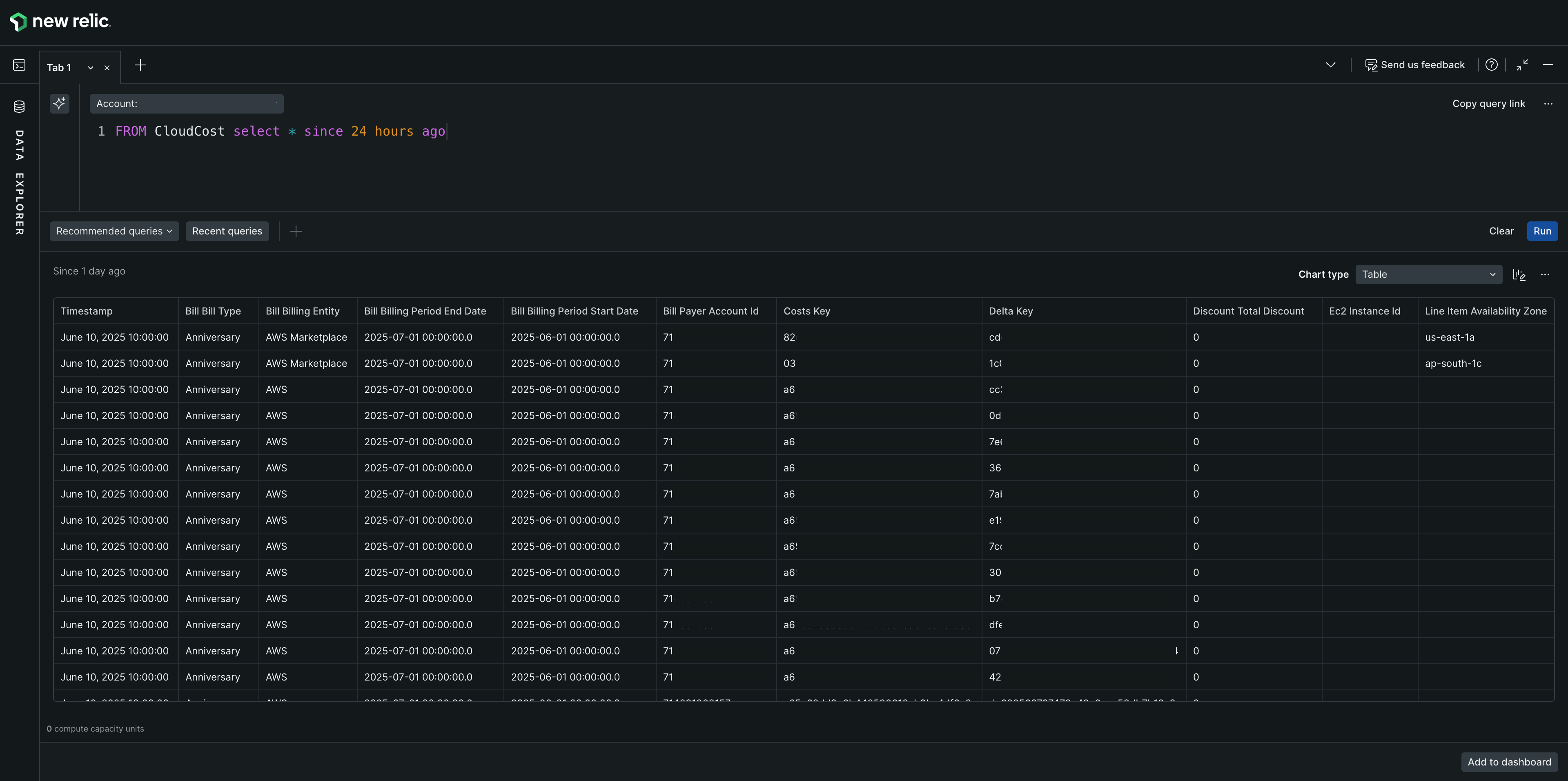
KubernetesCost
KubernetesCost is a cost allocation event generated by Cloud Cost Intelligence. It breaks down cloud costs by Kubernetes cluster, namespace, pod, and container. This event type supports only a subset of NRQL clauses.
Key attributes
The following attributes are most useful for building KubernetesCost queries:
| Attribute | Description |
|---|---|
total_cost | Total cost, calculated as the sum of cpu_costs and memory_costs. |
cpu_costs | Portion of the cost attributed to CPU usage. |
memory_costs | Portion of the cost attributed to memory usage. |
net_unblended_cost | Net cost after discounts, based on the resource's usage share of the underlying EC2 node cost. |
cpu_usage | Ratio of CPU cores in use to CPU cores allocated (value between 0 and 1). |
memory_usage | Ratio of memory in use to memory allocated (value between 0 and 1). |
cluster_name | Name of the cluster hosting the nodes and pods. |
namespace_name | Kubernetes namespace—a logical separation of services and deployment nodes. |
pod_name | Kubernetes pod name, which may host one or more containers. |
container_name | Docker container name. |
node_name | EC2 node on which the pod is deployed. |
deployment_name | Name of the Kubernetes Deployment managing the pod. |
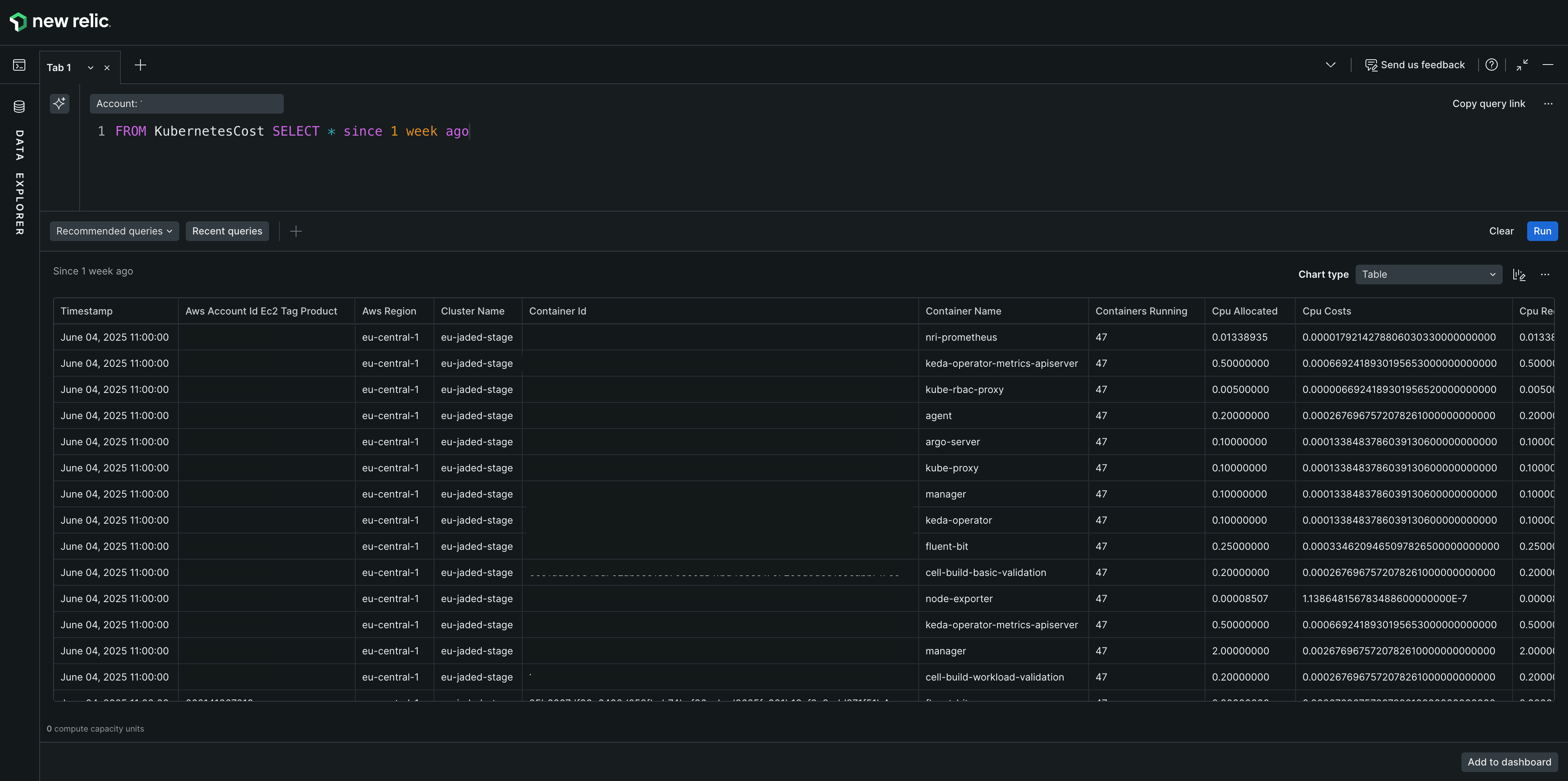
Example query:
FROM KubernetesCost SELECT * SINCE 1 week agoFor accurate Kubernetes costs, multiply cpu_weightage + memory_weightage in your queries:
SELECT SUM(net_unblended_cost * (cpu_weightage + memory_weightage) + network_net_unblended_cost) FROM KubernetesCost SINCE '2026-09-01' UNTIL '2026-09-10'The query multiplies net_unblended_cost by the sum of CPU and memory weightage for accurate cost allocations based on resource usage.
Identify the most expensive Kubernetes namespaces:
FROM KubernetesCost SELECT SUM(total_cost) FACET namespace_name SINCE 1 week ago LIMIT 10Compare CPU cost to memory cost per cluster:
FROM KubernetesCost SELECT SUM(cpu_costs), SUM(memory_costs) FACET cluster_name SINCE 1 week agoFind under-utilized containers where CPU usage is low:
FROM KubernetesCost SELECT average(cpu_usage) FACET container_name WHERE cpu_usage < 0.2 SINCE 3 days agoCloudCostEstimate
CloudCostEstimate is a real-time event generated by Cloud Cost Intelligence. It provides estimated cloud costs at the resource level, including AWS instance details and metadata such as team ownership, environment, and service name. This event type supports only a subset of NRQL clauses.
Key attributes
The following attributes are most useful for building CloudCostEstimate queries:
| Attribute | Description |
|---|---|
cost | Estimated cost in the currency of your cloud bill for the resource over the usage period. |
owning_team | Value of the owning_team tag applied to the resource, if present. |
product_code | Cloud provider service code (for example, EC2). |
service_name | The service the estimate is for. |
instance_type | AWS EC2 instance type (for example, m6g.8xlarge). Applies to AWS resources only. |
aws_region | AWS region where the resource is deployed (for example, us-east-2). |
department | Value of the department tag applied to the resource, if present. |
environment | Deployment environment of the resource, sourced from the resource's environment tag. |
Example query:
FROM CloudCostEstimate SELECT * SINCE 24 hours ago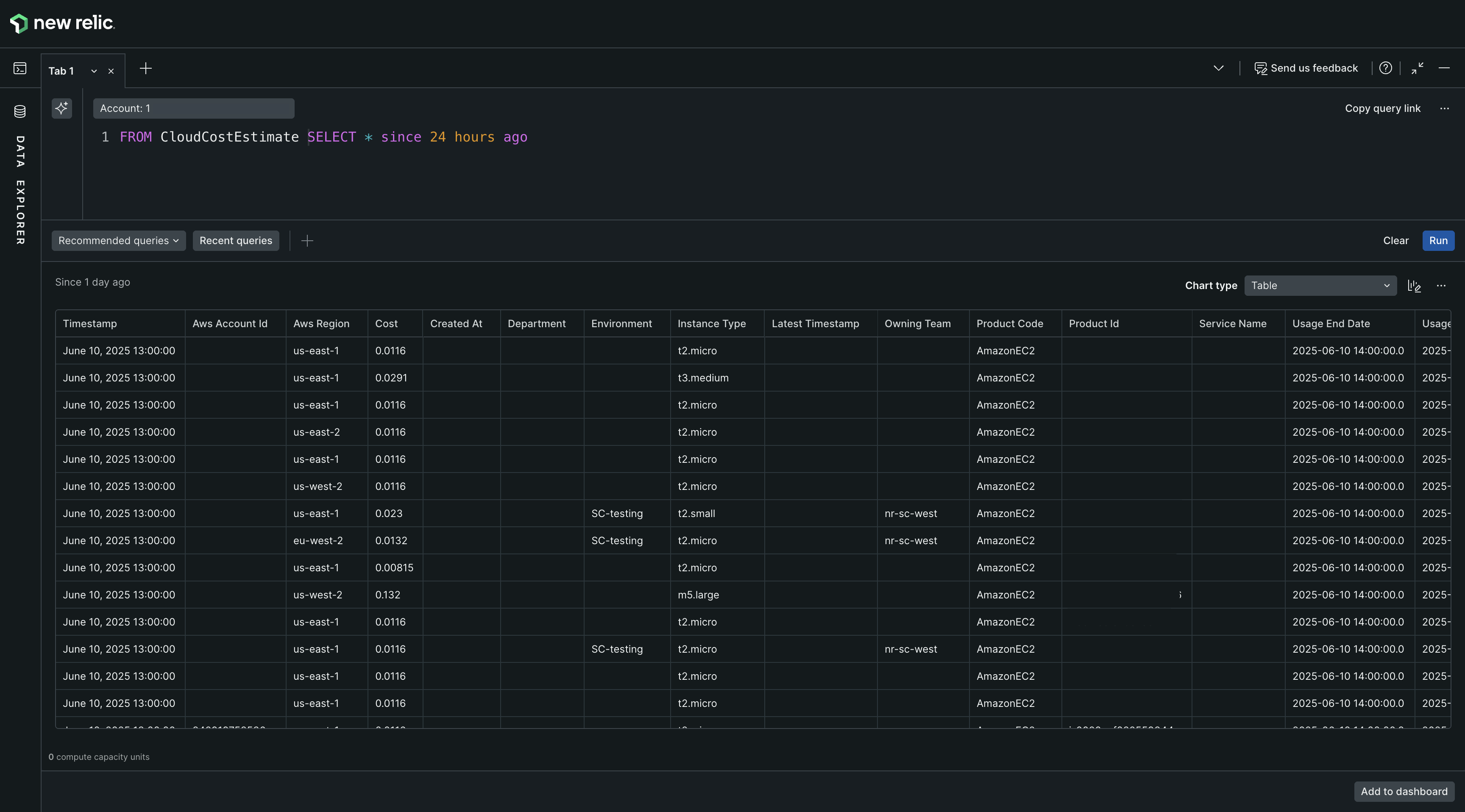
Review estimated costs by owning team:
FROM CloudCostEstimate SELECT SUM(cost) FACET owning_team SINCE 24 hours agoSupported NRQL clauses
The following clauses are supported for CloudCost, KubernetesCost, and CloudCostEstimate. CloudSpend and KubernetesSpend support the full NRQL language.
| Category | Supported clauses |
|---|---|
| Clauses | SELECT, WHERE, SINCE, UNTIL, LIMIT, TIMESERIES, TIMESERIES… FACET… |
| Aggregate functions | count(), sum(), min(), max(), uniques(), uniqueCount() |
| Operators | LIKE, IN, NOT IN, AND, OR, <, <=, >, >=, != |
| Time functions | dateOf(), hourOf() |