Atribuir entidades a equipes no New Relic é fundamental para estabelecer uma propriedade clara e permitir uma colaboração eficaz. Você pode definir a propriedade por meio de atribuição automatizada baseada em tags ou métodos manuais.
Automatizar a propriedade com tags
Uma das maneiras mais simples e eficientes de atribuir a propriedade da entidade é aplicando rótulos (tags) diretamente nos arquivos de configuração do seu agente.
Etiquete entidades no arquivo de configuração do seu agente
Comece adicionando um rótulo de equipe à configuração do seu agente para especificar qual equipe é proprietária de uma determinada entidade. Por exemplo, em um agente Java, você pode adicionar:
<labels>team:Backend</labels>Esta tag associa a entidade à equipe "Backend".
Automatize a atribuição de entidades a equipes
Para automatizar a atribuição de entidades com tags às suas respectivas equipes:
- Acesse All Capabilities > Teams > Automation.
- Ative o recurso Propriedade da entidade. Uma vez habilitado, o New Relic atribuirá automaticamente qualquer entidade com uma tag de equipe correspondente à equipe correspondente.
(Opcional) Usar aliases de equipe
Se sua organização utiliza identificadores diferentes para a mesma equipe (por exemplo, "Backend" e "BE"), você pode configurar aliases para garantir a consistência. Para fazer isso:
Abra a página Team Hub para a equipe relevante.
Vá para a seção Configurações.
Adicione aliases que mapeiam valores de tag alternativos para a mesma equipe. Com os aliases configurados, as entidades com a tag "team:Backend" ou "team:BE" serão ambas atribuídas à equipe "Backend".
Dica
Você também pode usar quaisquer outras tags ingeridas que representem propriedade. Isso oferece flexibilidade adicional e garante o alinhamento com as convenções de tags atuais da sua organização.
Atribuir propriedade manualmente
Se você não tiver tags configuradas para representar propriedade, poderá atribuir a propriedade manualmente nos seguintes locais.
Na página central da equipe
Para atribuir propriedade a partir do Team Hub:
Acesse a página de hub da Equipe e clique em Gerenciamento de entidades.
Selecione as entidades que você deseja atribuir.
Clique em Save.
Nas páginas de entidade
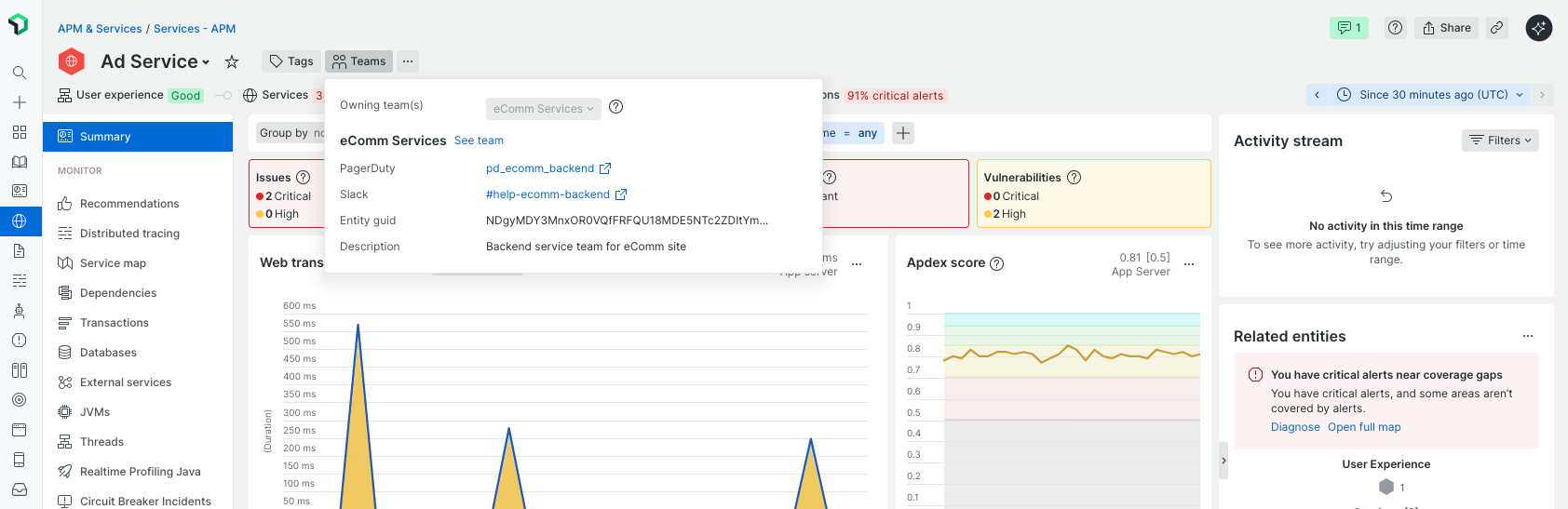
Você também pode atribuir um proprietário diretamente do cabeçalho da página de resumo de qualquer entidade.
Em catálogos
A propriedade pode ser atribuída a entradas de catálogo sem proprietário que ainda não estão vinculadas a uma equipe.