Enabling session replay, sampling rates, and most privacy settings are managed server-side on the Application Settings page in New Relic so that updates are not dependent on the deployment and adoption of a new app version. Only some types of masking overrides need to be managed in your code.
Requirements and compatibility
Before setting up session replay, ensure your app meets these requirements.
Technical prerequisites
To use session replay, you need:
- A New Relic account with mobile monitoring enabled
- An active mobile application configured in New Relic
- Network connectivity from your mobile app to New Relic's data ingestion endpoints
General availability agent versions
- iOS agent 7.7.1 released April 22, 2026
- Android agent 7.7.3 released April 27, 2026
- ReactNative agent 1.8.2 released April 27, 2026
Enable session replay
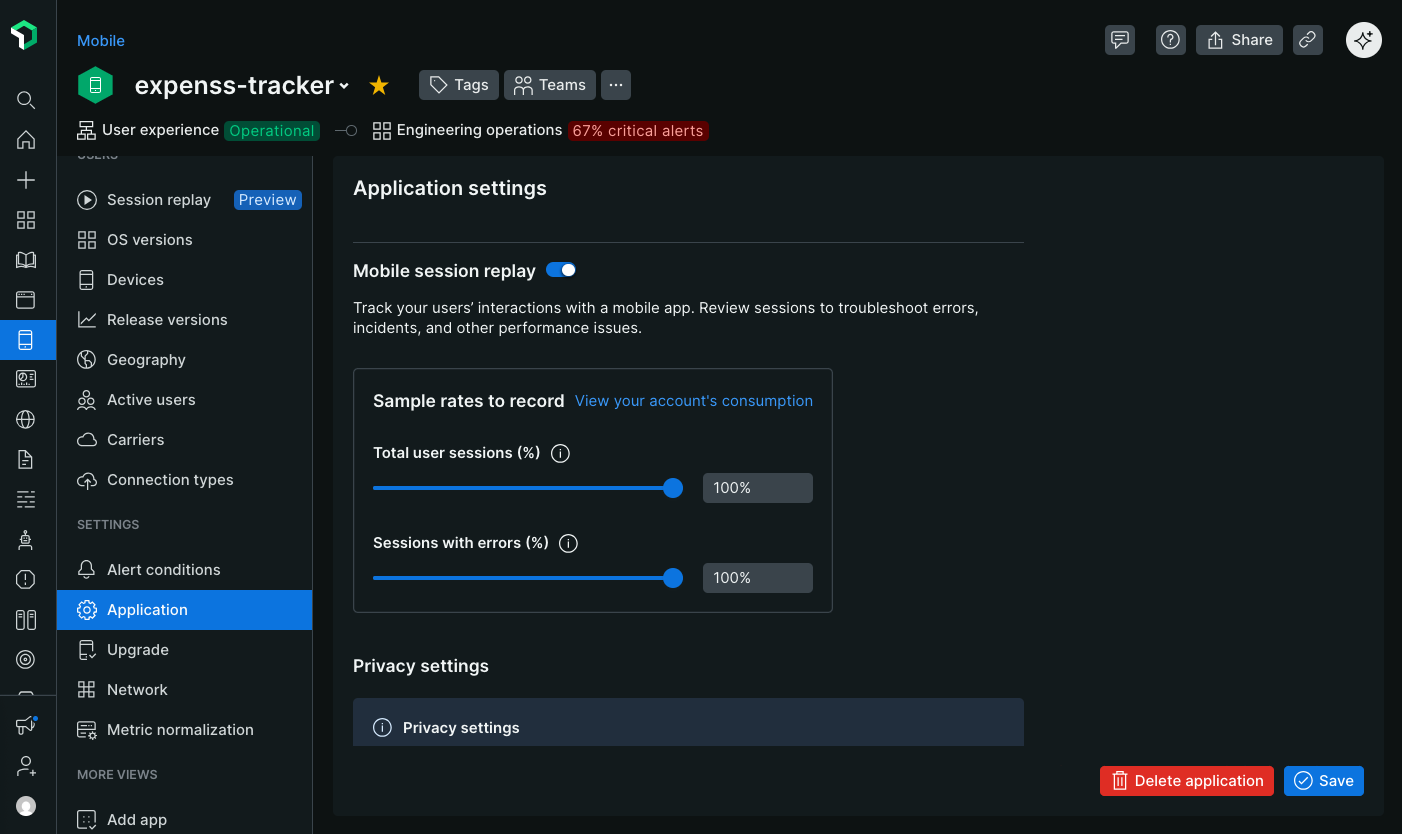
- Go to one.newrelic.com > All Capabilities > Mobile.
- Select your mobile app.
- In the left-hand menu, click Settings > Application.
- Toggle on Mobile Session Replay.
Configure sampling rates
Define the sampling rates to control how often session replays are captured. Sampling rates can be as small as one millionth of a percent for high throughput apps.
Set a sampling rate for the following:
- User sessions: Records a random sample of all user sessions.
- Errored sessions: Records a random sample of sessions where at least one error occurs. The agent buffers a sliding window of data for up to 30 seconds on the client side. When an error occurs, the buffered data will be uploaded and the remainder of the session recorded. Errors include crashes, ANRs, and handled exceptions. If an error doesn't occur, the replay is never harvested.
For example, if you set the session sampling rate to 50% and the error sampling rate to 100%:
- Half of all user sessions will be recorded.
- All errored sessions will be recorded, even if they're not part of the 50% sample.