La habilitación de Session Replay, las tasas de ejemplificación y la mayoría de las configuraciones de privacidad se gestionan del lado del servidor en la página de configuración de la aplicación en New Relic, por lo que las actualizaciones no dependen del despliegue y adopción de una nueva versión de la aplicación. Solo algunos tipos de anulaciones de enmascaramiento deben gestionarse en su código.
Requisitos y compatibilidad
Antes de configurar Session Replay, asegúrese de que su aplicación cumpla con estos requisitos.
Requisitos técnicos
Para usar Session Replay, necesita:
- Una cuenta New Relic con monitoreo de celulares habilitado
- Una aplicación móvil activa configurada en New Relic
- Conectividad de red desde tu aplicación móvil al extremo de ingesta de datos de New Relic
Versiones del agente de disponibilidad general
- Agente de iOS 7.7.1 lanzado el 22 de abril de 2026
- Agente Android 7.7.3 lanzado el 27 de abril de 2026
- Agente de ReactNative 1.8.2 lanzado el 27 de abril de 2026
Habilitar Session Replay
- Vaya a one.newrelic.com > All Capabilities > Mobile.
- Selecciona tu aplicación móvil.
- En el menú de la izquierda, haga clic en Settings > Application.
- Activar Mobile Session Replay.
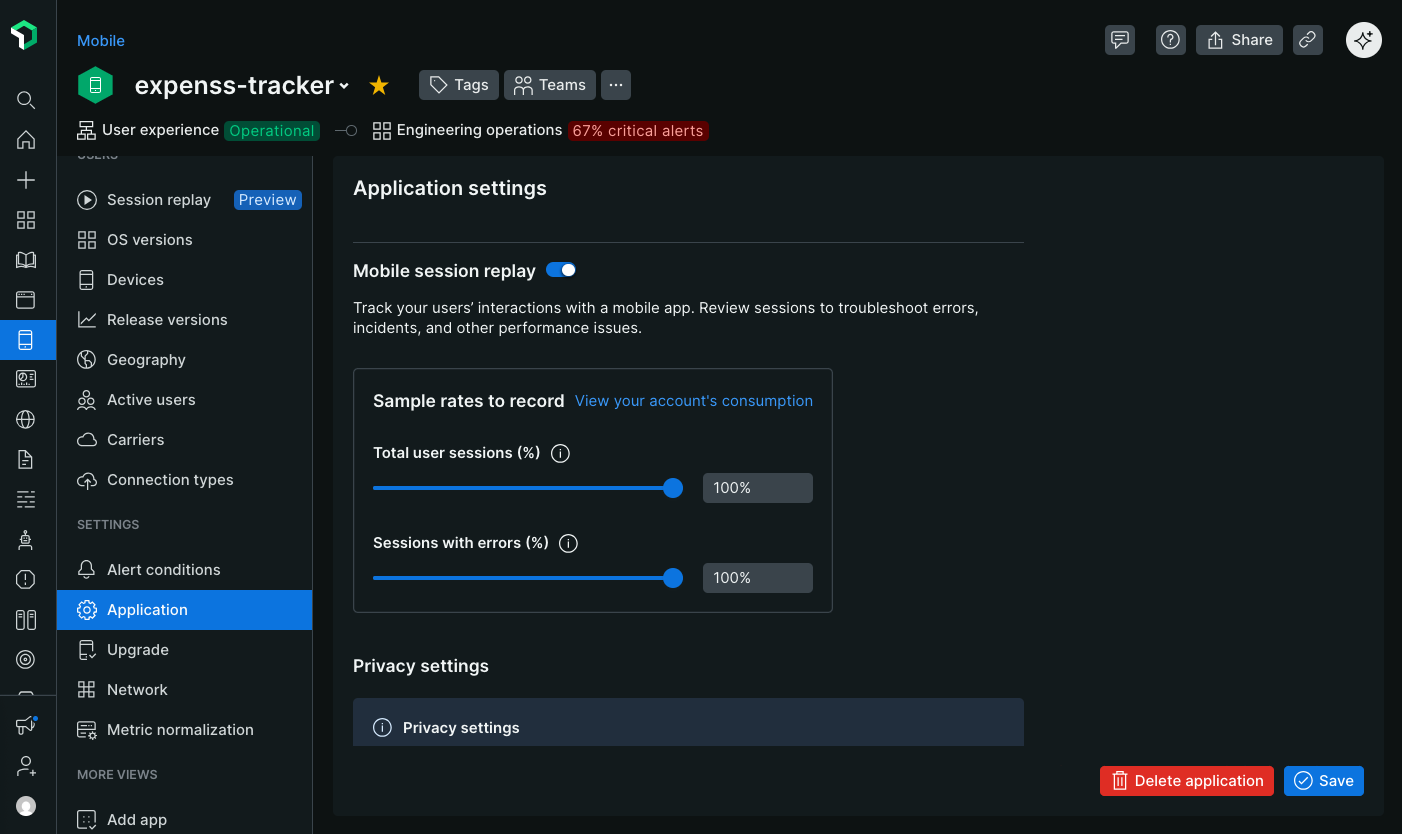
Configurar tasas de muestreo
Defina las tasas de muestreo para controlar con qué frecuencia se capturan los Session Replay. Las tasas de muestreo pueden ser tan bajas como una millonésima de un por ciento para aplicaciones de alto rendimiento.
Establezca una tasa de muestreo para lo siguiente:
- Sesiones de usuario: registra una muestra aleatoria de todas las sesiones de usuario.
- Sesiones con errores: registra una muestra aleatoria de sesiones en las que ocurre al menos un error. El agente almacena en búfer una ventana deslizante de datos durante un máximo de 30 segundos en el lado del cliente. Cuando se produce un error, los datos almacenados en búfer se cargarán y se grabará el resto de la sesión. Los errores incluyen fallos, ANR y excepciones controladas. Si no ocurre un error, la repetición nunca se recopila.
Por ejemplo, si establece la frecuencia de ejemplificación de sesión al 50 % y la frecuencia de ejemplificación de errores al 100 %:
- Se grabará la mitad de todas las sesiones de usuario.
- Todas las sesiones con errores serán grabadas, incluso si no forman parte de la muestra del 50%.
Siguiente: Configurar ajustes de privacidad