세션 리플레이 활성화, 샘플링 속도 및 대부분의 개인정보 보호 설정은 업데이트가 새 앱 버전의 배포 및 채택에 의존하지 않도록 뉴렐릭의 애플리케이션 설정 페이지에서 서버 측에서 관리됩니다. 일부 유형의 마스킹 재정의만 코드에서 관리해야 합니다.
요구 사항 및 호환성
세션 리플레이를 설정하기 전에 앱이 다음 요구 사항을 충족하는지 확인하십시오.
기술적 전제 조건
세션 리플레이를 사용하려면 다음이 필요합니다:
- 모바일 예측이 활성화된 뉴렐릭 계정
- 뉴렐릭으로 구성된 활성 모바일 기능
- 모바일 앱에서 뉴렐릭의 데이터 수집까지의 네트워크 연결 엔드포인트
일반 공급 에이전트 버전
- iOS 에이전트 7.7.1 2026년 4월 22일 출시
- Android 에이전트 7.7.3 2026년 4월 27일 출시
- ReactNative 에이전트 1.8.2, 2026년 4월 27일 출시
세션 리플레이 활성화
- one.newrelic.com > All Capabilities > Mobile 로 이동합니다.
- 모바일 앱을 선택하세요.
- 왼쪽 메뉴에서 Settings > Application 클릭합니다.
- 모바일 세션 리플레이를 켭니다.
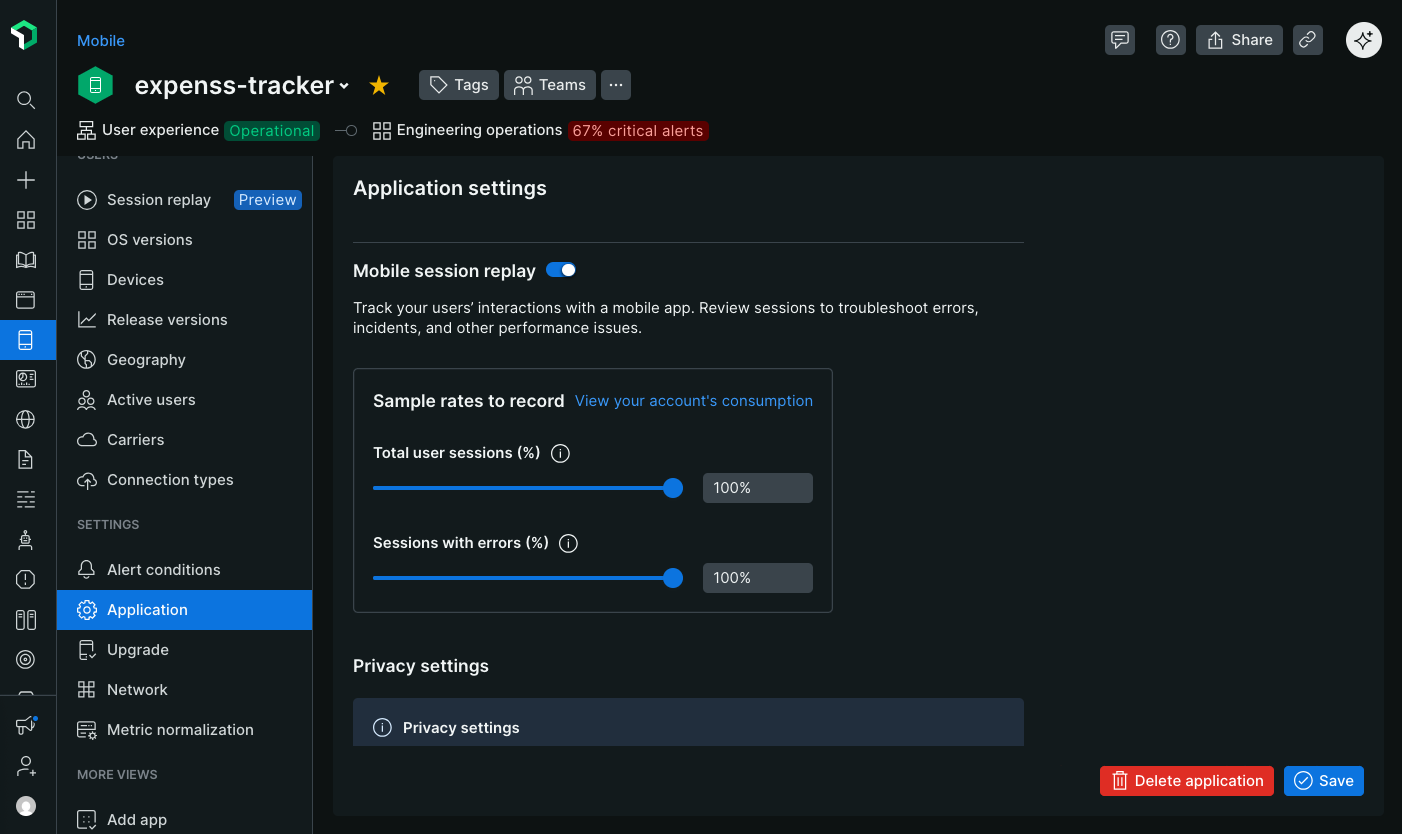
샘플링 속도 구성
세션 리플레이가 캡처되는 빈도를 제어하도록 샘플링 속도를 정의합니다. 처리량이 높은 앱의 경우 샘플링 속도는 100만분의 1퍼센트만큼 작을 수 있습니다.
다음에 대한 샘플링 속도를 설정합니다:
- 사용자 세션: 모든 사용자 세션의 무작위 샘플을 기록합니다.
- Errored sessions [오류가 발생한 세션]: 최소 하나의 오류가 발생하는 세션의 무작위 샘플을 기록합니다. 에이전트는 클라이언트 측에서 최대 30초 동안 데이터의 슬라이딩 윈도우를 버퍼링합니다. 오류가 발생하면 버퍼링된 데이터가 업로드되고 나머지 세션이 기록됩니다. 오류에는 충돌, ANR 및 처리된 예외가 포함됩니다. 오류가 발생하지 않으면 재생이 절대 수집되지 않습니다.
예를 들어 세션 샘플링 속도를 50%로, 오류 샘플링 속도를 100%로 설정하는 경우:
- 전체 사용자 세션의 절반이 녹화됩니다.
- 오류가 발생한 모든 세션은 50% 샘플에 속하지 않더라도 기록됩니다.
다음: 개인정보 보호 설정 구성