• /
  • EnglishEspañolFrançais日本語한국어Português
  • ログイン今すぐ開始

From BTP - API management, API portal

  1. Log in to the BTP subaccount.

  2. In the BTP cockpit, click Instances and Subscriptions.

  3. Click Create at the top right.

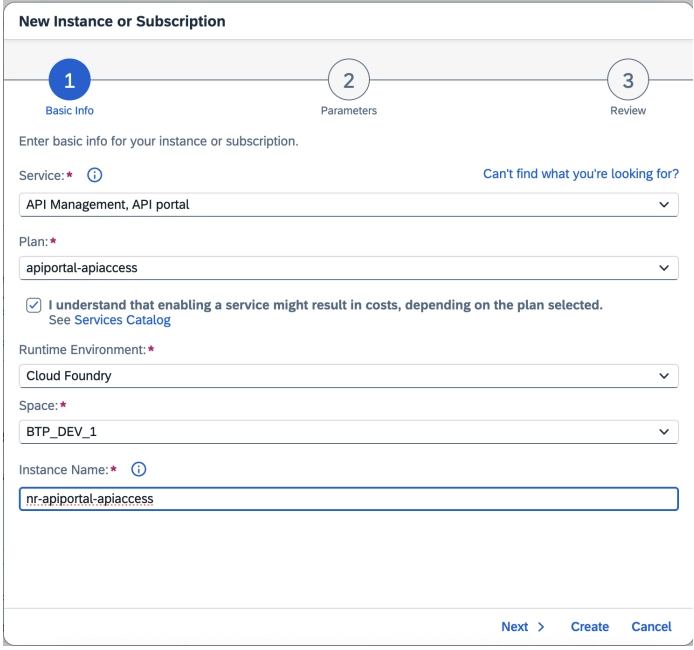
  4. In the pop-up screen, select:

    • Service: API Management, API Portal
    • Plan: apiportal-apiaccess
    • Runtime Environment: Cloud Foundry
    • Space: Check with your BTP administrator
    • Instance Name: Follow your organization naming convention
    The Create Instance dialog showing Service, Plan, Runtime Environment, Space, and Instance Name fields for SAP Cloud ALM API
  5. Check the cost disclaimer.

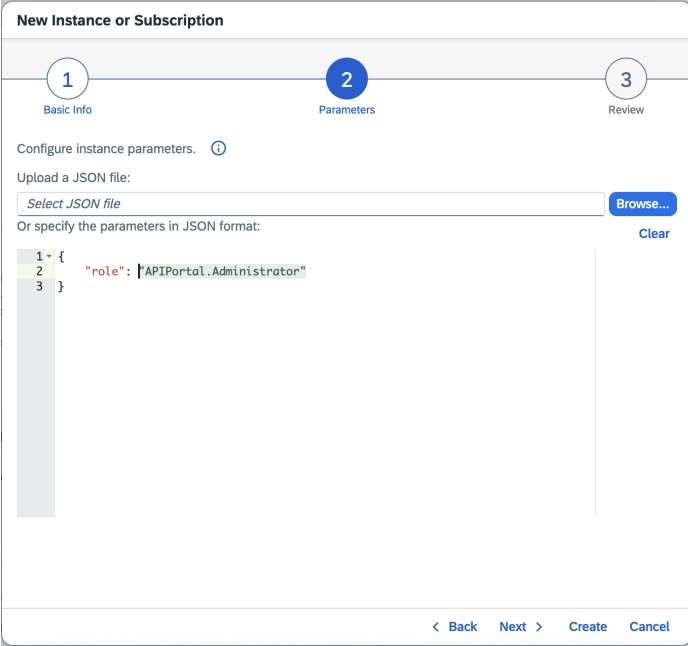
  6. Click Next, then select Roles: APIPortal.Administrator.

    The Create Instance dialog showing Service, Plan, Runtime Environment, Space, and Instance Name fields for SAP Cloud ALM API
  7. Click Next to review the details.

  8. Click Create.

  9. Once created, locate the service under the Instances tab.

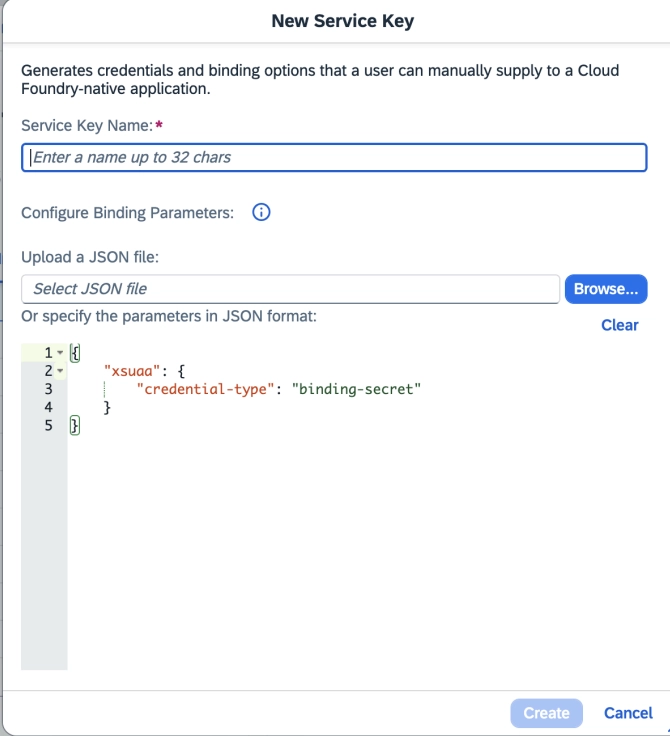
  10. Click the ellipsis (...) next to your instance, then click Create Service Key.

  11. Enter a Service Key Name and Credential Type: binding-secret in JSON format.

    The Create Instance dialog showing Service, Plan, Runtime Environment, Space, and Instance Name fields for SAP Cloud ALM API
  12. Click Create, then download by clicking the ellipsis (...) next to your service key.

Copyright © 2026 New Relic株式会社。

This site is protected by reCAPTCHA and the Google Privacy Policy and Terms of Service apply.