Monitor Apache Kafka clusters with OpenTelemetry Collector for real-time visibility and reliable data streaming. This vendor-neutral solution prevents costly downtime across self-hosted and Kubernetes environments.
Collector options
New Relic supports two OpenTelemetry Collector distributions for Kafka monitoring, both offering identical functionality with the same configuration files and monitoring capabilities.
- NRDOT Collector (recommended): New Relic's distribution of OpenTelemetry Collector with New Relic support for assistance. For more information, see the NRDOT Collector GitHub repository.
- OpenTelemetry Collector: The upstream community distribution. For more information, see the OpenTelemetry Collector Contrib GitHub repository.
Choose the collector that best fits your support and operational requirements, then proceed to set up monitoring for your environment.
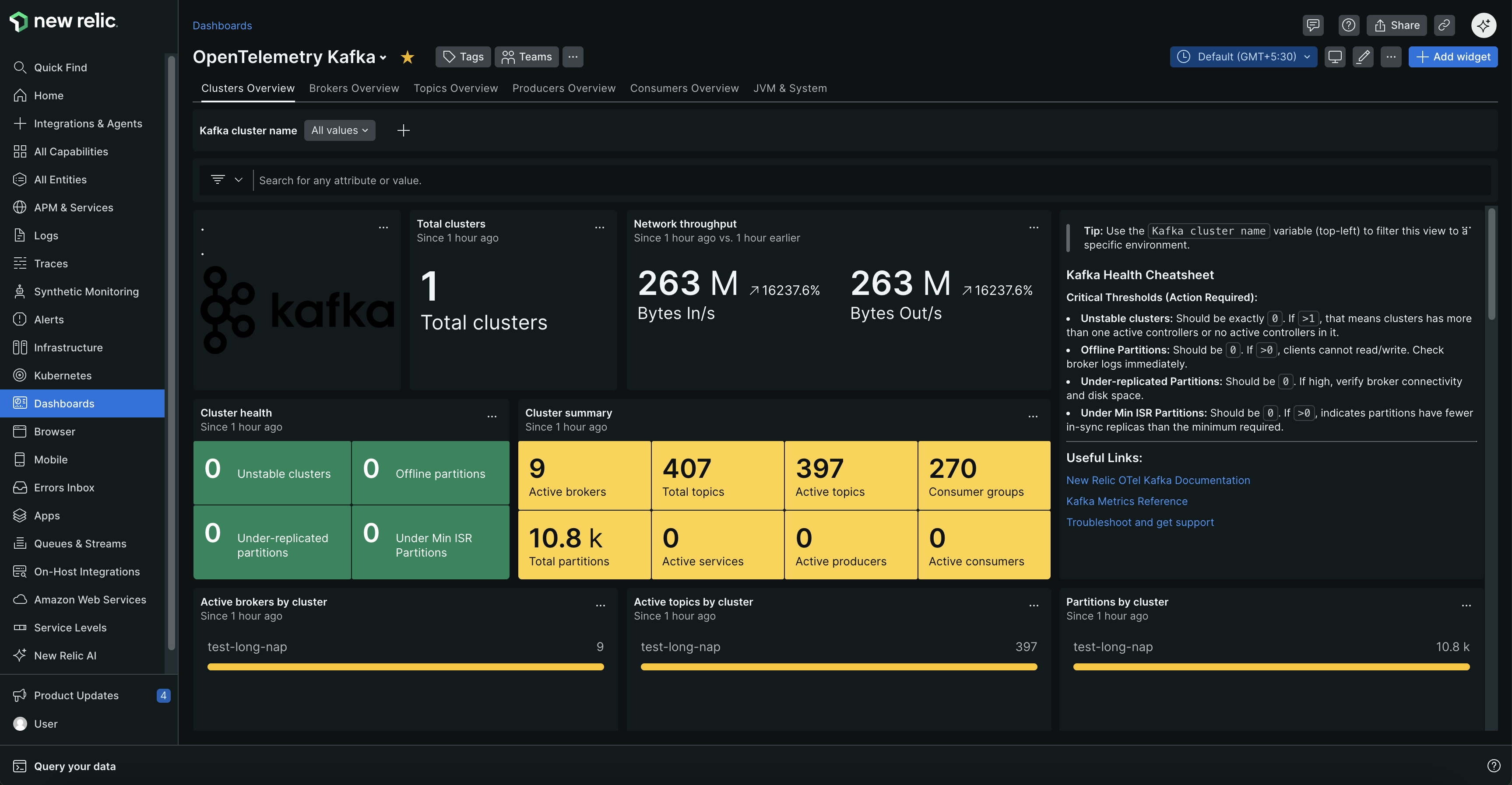
Monitor your Kafka clusters with comprehensive dashboards showing cluster health, broker status, topic metrics, and consumer group performance.
Why Kafka monitoring?
- Prevent outages: Get alerts for broker failures, under-replicated partitions, and offline topics before they cause downtime
- Optimize performance: Identify consumer lag, slow producers, and network bottlenecks that affect data processing speed
- Plan capacity: Track resource usage, message rates, and connection counts to scale proactively
- Ensure data integrity: Monitor replication health and partition balance to prevent data loss
Common use case
Kafka monitoring helps you catch issues before they impact your business. Get alerted when consumer lag spikes threaten real-time dashboards, broker failures risk data loss, or network bottlenecks slow critical data pipelines. Essential for financial transactions, IoT data processing, microservices communication, e-commerce platforms, and real-time analytics.
Get started
Choose your Kafka environment to begin monitoring. Each setup guide includes prerequisites, configuration steps, and troubleshooting tips.
How it works
The collector continuously gathers performance data using specialized components:
Data collection:
- Kafka metrics receiver: Connects to Kafka's bootstrap port for cluster health, consumer lag, topic metrics, and partition status
- JMX metrics collection: Collects broker performance, JVM data, and operational insights via:
- Self-hosted Kafka: OTel Java agent or Prometheus JMX Exporter on broker JVM
- Kubernetes (self-managed): OTel Java agent or Prometheus JMX Exporter via init container
- Kubernetes (Strimzi): Prometheus JMX Exporter via Strimzi's
KafkaMetricsConfig
| OTel Java agent | Prometheus JMX Exporter | |
|---|---|---|
| Architecture | Push-based | Pull-based |
| Protocol | OTLP (gRPC or HTTP) | HTTP scrape (default port 9404) |
| Configuration | JMX config file (.yaml) | YAML config with metric patterns |
| Availability | Self-hosted, Kubernetes self-managed | Self-hosted, Kubernetes self-managed, Kubernetes Strimzi |
Key metrics: Consumer lag, broker health, request rates, network throughput, partition replication status, resource utilization, and JVM performance data.
For complete metric names, descriptions, and alerting recommendations, see Kafka metrics reference.
Optional: Add application-level monitoring
Monitor producer and consumer applications for complete visibility from producers → brokers → consumers.
Adds: Request latencies, throughput metrics, error rates, and distributed traces.
Setup: Use the OpenTelemetry Java agent for zero-code Kafka instrumentation.
Next steps
Set up monitoring:
After setup: