El monitoreo de New Relic para SAP incluye componentes de monitoreo listos para usar: dashboards, políticas de alertas y el IDOC Explorer.
Antes de que empieces
Para realizar estas tareas, debe tener privilegios de administrador de New Relic en la cuenta.
Importante
Para el dashboard de SAP Cockpit, debe crear una tabla de búsquedas denominada NR_LKUP_SYSTEM antes de la instalación.
Ubicar componentes de monitoreo de SAP
- Vaya a one.newrelic.com. Si administra varias cuentas, seleccione la subcuenta que recopila datos de SAP.
- Seleccione + Integrations & Agents > Apps & Visualizations.
- Busca SAP. Los resultados muestran todas las aplicaciones, políticas de alertas y dashboards disponibles para el monitoreo de SAP.
Instalar el tablero
Crear tabla de búsquedas
Sugerencia
Solo se requiere para el dashboard SAP Cockpit.
El dashboard SAP Cockpit emplea un lookup table para SAP systems y sus entornos.
Cree el lookup table con dos columnas:
SYS_IDyEnv, y guárdelo como un CSV file. A continuación se muestra un ejemplo del archivo de búsquedas:SYS_ID,EnvGD1,DEVSD2,DEVAQ1,TestingAQ2,TestingSP1,ProdSP2,ProdVaya a Log > Lookup Tables.
Haga clic en Add a table.
En la barra lateral Add a lookup table, nombre la tabla como NR_LKUP_SYSTEM y cargue el CSV file. Consulte Tablas de búsquedas para obtener más información.
Para verificar el contenido de la tabla, emplee el query builder con
FROM lookup(NR_LKUP_SYSTEM) SELECT *y luego haga clic en Run.
Instalar los dashboards
Vaya a one.newrelic.com > Integrations & Agents y busque New Relic Monitoring for SAP Solutions. Como alternativa, vaya a Dashboards > Recommended Dashboards, haga clic en View all y busque SAP. Consulte Dashboards para obtener más información.
Seleccione la pestaña Dashboards .
Haga clic en un dashboard y seleccione la cuenta donde desea instalarlo. El dashboard se instala automáticamente.
Instalar estos dashboards:
SAP Dashboards
SAP Cockpit
SAP Data Collection Monitoring
SAP Data Ingestion Estimate
Sugerencia
Después de instalar el dashboard SAP Cockpit, ábralo y confirme que la página de inicio refleje el estado correcto del sistema. Esto verifica que la tabla de búsquedas NR_LKUP_SYSTEM asigne los entornos a los sistemas correctamente.
Agregar filtro dashboard
- Vaya a one.newrelic.com > Dashboards y seleccione un dashboard.
- Haga clic en los puntos suspensivos (…) en la esquina superior derecha de un widget.
- Seleccione Edit para abrir la pantalla de edición.
- Active o desactive el interruptor Filter the current dashboard.
Habilite la vinculación de facetas para los widgets de tabla, gráfico circular y gráfico de barras para filtrar por SAP system, instance, IDOC status, jobs y más.
Instalar políticas de alertas
Vaya a one.newrelic.com > Alerts > Alert Policies.
Busque y haga clic en New Relic Monitoring for SAP Solutions alert policy.
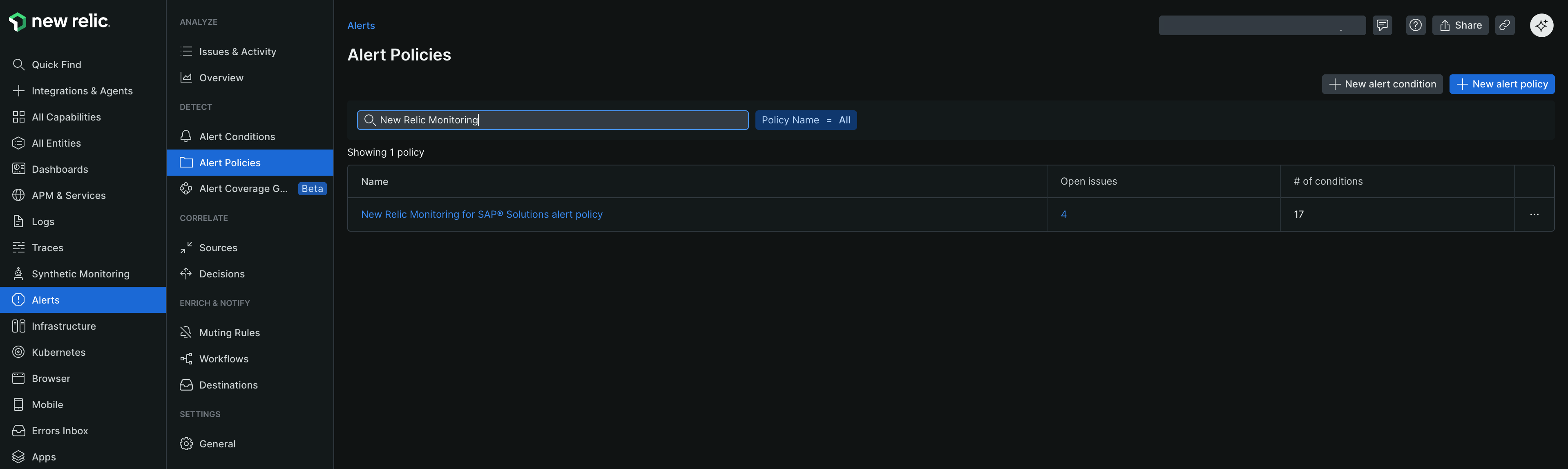
En la pestaña Alert condition, seleccione la cuenta y cambie alert policy a Enable. Consulte Gestionar las políticas para obtener instrucciones sobre cómo gestionar las políticas.
Regrese y busque Nr4sap default alert policy. Active el alert condition que desea habilitar.
Instalar el Explorador de IDOC
Vaya a one.newrelic.com > Integrations & Agents.
Seleccione Apps & Visualizations y busque IDOC Explorer.
Seleccione Manage access. Elija la cuenta para acceder a la aplicación.
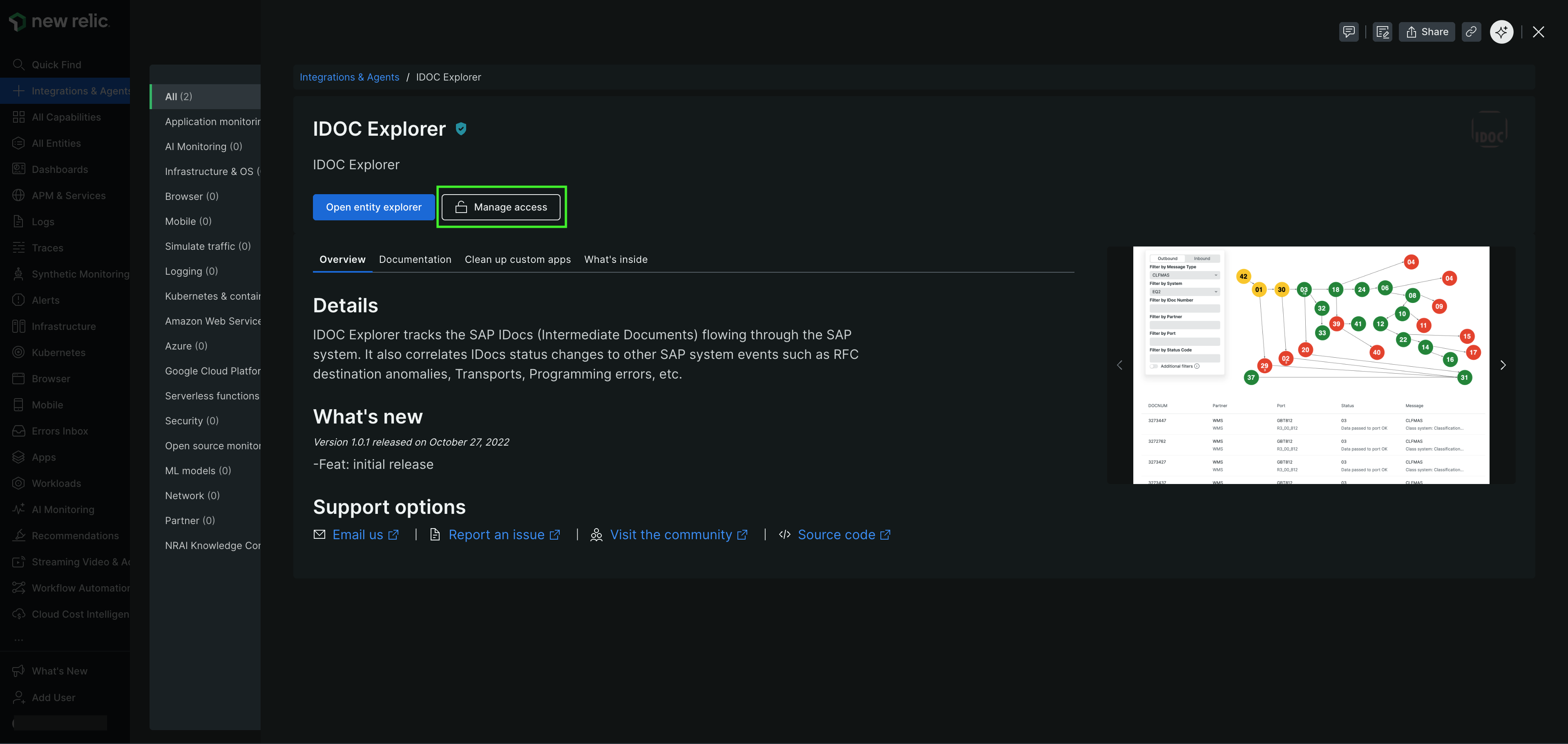
Haga clic en Update. El IDOC Explorer aparece cuando ve IDOC entities.