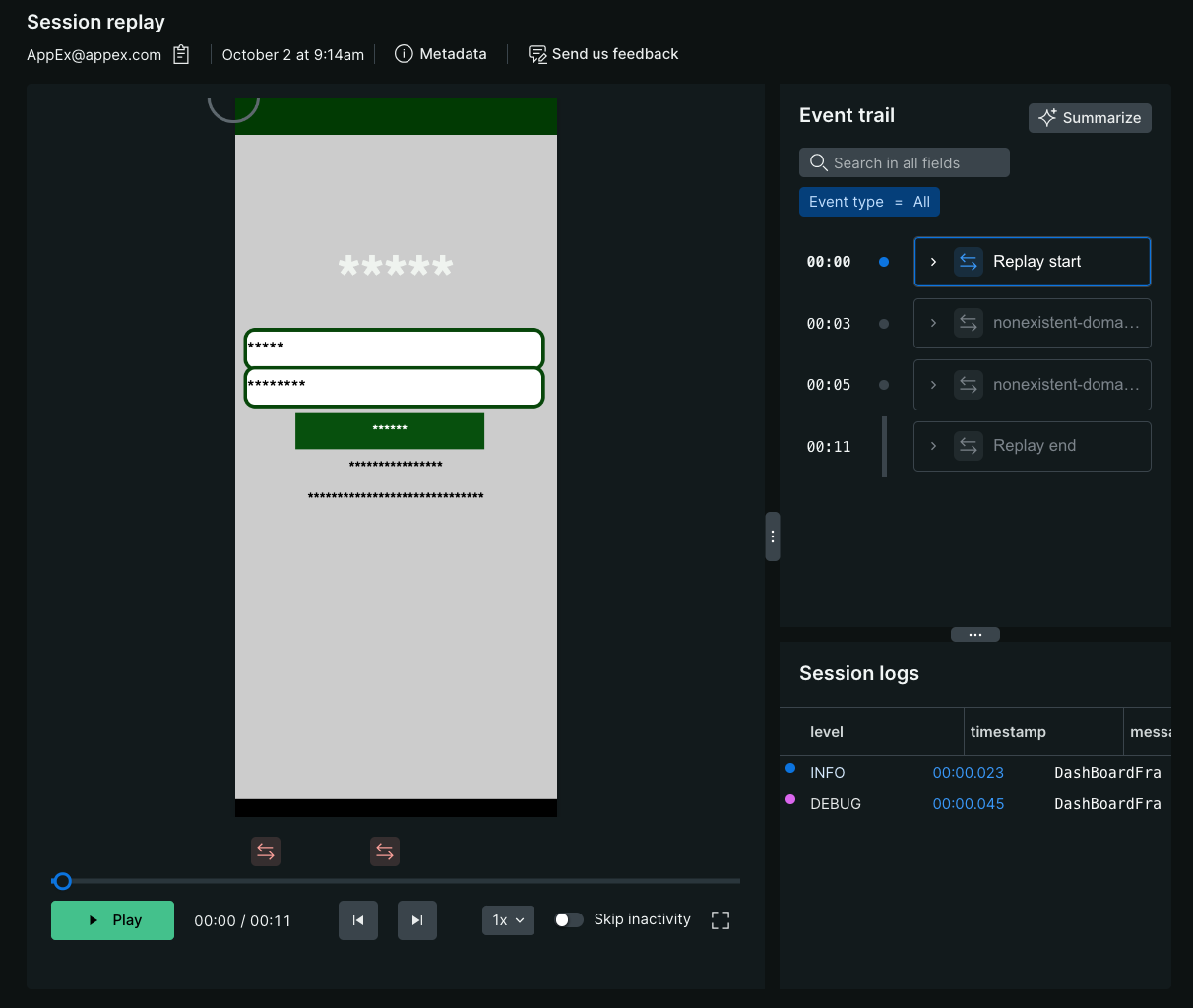
¿Por qué pasar horas intentando reproducir errores esquivos de la aplicación móvil cuando puede ver lo que sus usuarios experimentaron? Session Replay elimina las conjeturas en la resolución de problemas al proporcionar una repetición en video de lo que el usuario final vio en su teléfono o tablet, sincronizada con todos los telemetry data de esa sesión. Esto significa que puede evaluar rápidamente el impacto real de los errores en sus usuarios, identificar cuellos de botella de rendimiento y puntos de fricción de UX, y resolver problemas más rápido sin depender de informes de errores o reproducción local.
Cómo funciona Session Replay
Comprender cómo funciona Session Replay lo ayuda a tomar decisiones informadas sobre la configuración de privacidad y la resolución de problemas.
Cuando un usuario lanza su aplicación, el agente móvil hace una llamada a los servidores de New Relic para verificar si Session Replay está habilitado y, de ser así, cuáles son las tasas de ejemplificación y las configuraciones de privacidad. El agente resuelve la decisión de muestreo y comienza a capturar datos de reproducción.
A diferencia de Session Replay Browser, las aplicaciones móviles no tienen un DOM que se pueda capturar y recrear. En cambio, el agente móvil monitorea el ciclo de vida de la vista y transforma el área visible en HTML. Tu configuración de enmascaramiento se aplica a la reproducción HTML del área visible, que luego se serializa a JSON y se almacena en el lado del cliente hasta que se activa la transmisión de datos cada 1 minuto, momento en el que la carga se comprime con gzip y se envía a New Relic.
Si la aplicación falla o se bloquea inesperadamente, los datos recopilados entre el último ciclo de transmisión exitoso y la salida inesperada de la aplicación se almacenan en el lado del cliente hasta el próximo lanzamiento de la aplicación, momento en el que el agente móvil intentará restaurar y cargar los datos huérfanos. Debido a la forma en que iOS y Android gestionan las salidas inesperadas, no siempre podemos recuperar todos los datos luego de un cierre inesperado de la aplicación.
Cuando se visualiza una repetición en la UI de New Relic, el JSON se obtiene de una API interna y se deserializa para convertirlo en un flujo de actualizaciones HTML que constituye el "video" que se reproduce en su navegador web.
Debido a la transformación de los frameworks de visualización de la plataforma nativa a HTML, Session Replay es generalmente preciso, pero no perfecto a nivel de píxeles. Trabajaremos continuamente para mejorar la precisión de las repeticiones.
Definición de sesión
Actualmente, las repeticiones almacenan hasta:
- 4 horas de una sesión de usuario (similar a Session Replay del navegador)
- Datos capturados hasta que un usuario pone la aplicación en segundo plano
- La sesión se restablece mediante programación al emitir una llamada para actualizar el ID de usuario a través de
setUserId()
Retención de datos
De forma predeterminada, los datos de Session Replay se almacenan durante 8 días en el namespace de eventos móviles. Para saber más sobre los periodos de retención predeterminados, consulte la documentación de retención de datos. Para extender este periodo de retención, puede actualizar a Data Plus o editar su configuración de retención.
Aprende más
Para obtener más detalles sobre Session Replay, consulte las siguientes secciones:
- Consumo de datos: Ver o proyectar el consumo de datos.
- Inquietudes sobre la privacidad y seguridad del usuario: Aprenda cómo protegemos los datos de sus usuarios y cumplimos con los requisitos de privacidad.
- Session Replay y el rendimiento de su aplicación: aprenda cómo Session Replay minimiza el impacto en el rendimiento de su aplicación.
Siguiente: Configurar Session Replay