이 문서는 옵저버빌리티 데이터를 사용하여 워크플로우 실행 및 일정 실행을 모니터하는 방법을 설명합니다.
감사
모든 NerdGraph 뮤테이션 호출은 고객 계정의 NrAuditEvent에서 쿼리할 수 있는 감사 레코드를 생성합니다.
WorkflowRun
SELECT actionIdentifier, actorId, actorType, descriptionFROM NrAuditEvent WHERE targetType = 'workflow_run'SINCE 1 hour agoWorkflowSchedule
SELECT actionIdentifier, actorId, actorType, descriptionFROM NrAuditEvent WHERE targetType = 'workflow_schedule'SINCE 1 hour ago이벤트
모든 워크플로우 실행은 워크플로우를 시작하거나 예약한 고객 계정의 NRDB에 WorkflowAutomationEvent 데이터를 내보냅니다.
워크플로우 실행은 WorkflowAutomation 네임스페이스에 이벤트 데이터를 저장합니다.
WorkflowAutomationEvent 스키마
다음 표는 각 WorkflowAutomationEvent 이벤트의 속성을 설명합니다.
기인하다 | 유형 | 설명 |
|---|---|---|
| EpochMillisecond | 이벤트 타임스탬프 |
| 워크플로우 | 단계 | 이벤트 유형 |
| STARTED | COMPLETED | FAILED | TIMED_OUT | STOPPED | 이벤트와 연관된 상태 |
| 문자열 | 이 워크플로우 실행과 연결된 워크플로우 정의 이름 |
| 문자열 | 이 워크플로우 실행과 연결된 워크플로우 정의 버전 |
| 글로벌 | 조직 | 계정 | 이 워크플로우 실행과 연결된 워크플로우 정의 범위 유형 |
| 문자열 | 이 워크플로우 실행과 연결된 워크플로우 정의 범위 ID |
| 문자열 | 이 워크플로우 실행과 연결된 워크플로우 정의 entityGuid |
| Int | 워크플로우를 시작한 뉴렐릭 사용자 ID |
| UUID | 워크플로우 실행의 고유 ID |
| EpochMillisecond | COMPLETED, FAILED 또는 TIMED_OUT 이벤트의 소요 시간 |
| 문자열 | 워크플로우에서 고객이 지정한 단계 이름 |
| 작업 | 루프 | 스위치 | 상태 | 이 이벤트를 생성한 단계의 유형 |
| 문자열 | 액션의 정규화된 이름 |
| Int | 액션의 버전 |
stepType 속성은 다음과 같은 값을 가집니다:
ACTION: 카탈로그에서 작업을 실행합니다LOOP: 컬렉션을 반복합니다SWITCH: 조건을 평가합니다STATE: 워크플로우의 공유 상태에 핵심 가치 쌍을 저장합니다
예시 쿼리
다음 쿼리는 특정 워크플로우 실행에 대한 모든 이벤트를 반환합니다:
SELECT *FROM WorkflowAutomationEventwhere definitionName = 'json-parsing' and runId = '31c973d2-c669-4bd7-9b15-7e3a70a4a074'SINCE 1 month ago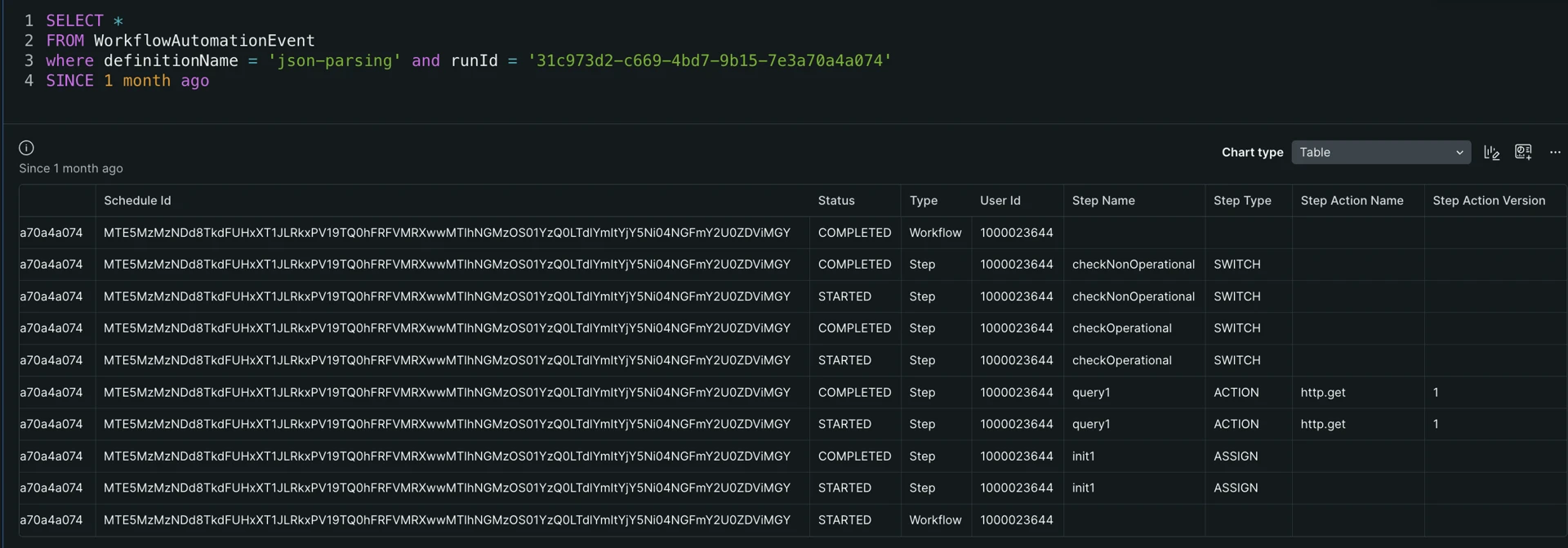
로그
선택적으로 logLevel 상세 수준 옵션을 사용하여 워크플로우를 시작하거나 예약할 수 있습니다. 로그는 워크플로우를 시작하거나 예약한 계정으로 전송됩니다.
로그에는 다음 속성이 포함됩니다:
workflowAutomation.nameWorkflowDefinition 이름입니다workflowAutomation.versionWorkflowDefinition 버전입니다workflowAutomation.runId워크플로우 runId입니다entityGuidWorkflowDefinition ID입니다
일정 발생으로 워크플로우가 시작된 경우, 로그 항목에는 workflowAutomation.scheduleId도 포함됩니다.
액션 단계 유형의 경우, DEBUG을(를) 사용할 때 각 액션 입력은 workflowAutomation.inputs.<inputName>: <inputValue> 형식으로 로그 항목에 추가 속성을 추가합니다.
액션 단계 유형의 경우, TRACE을(를) 사용할 때 각 액션 출력은 workflowAutomation.outputs.<outputName>: <outputValue> 형식으로 로그 항목에 추가 속성을 추가합니다.
NRQL 쿼리 예
다음 NRQL 쿼리로 로그를 쿼리할 수 있습니다:
SELECT message FROM Log WHERE workflowAutomation.runId = '{run_id}' SINCE 3 hours ago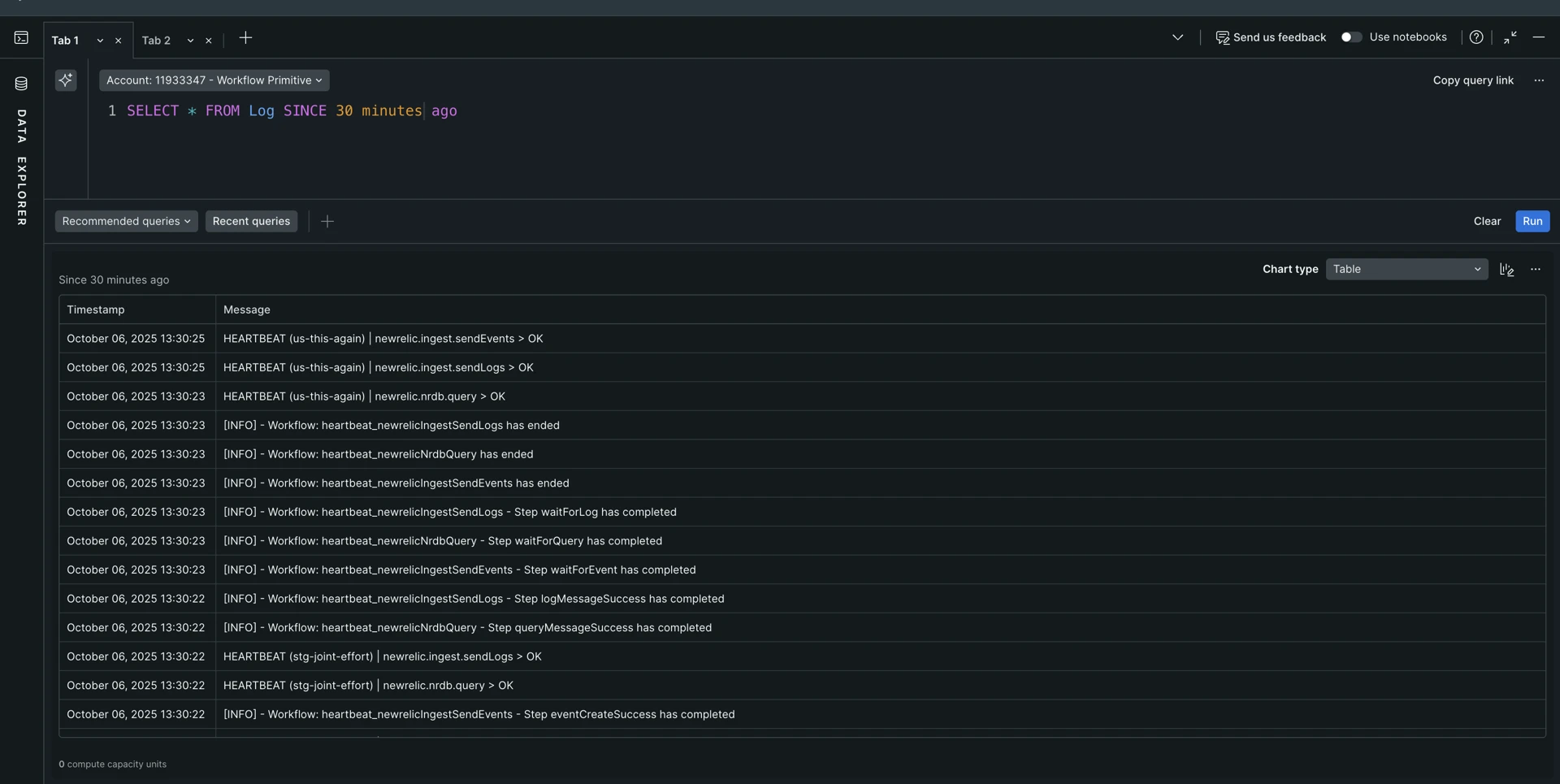
workflowAutomation.runId 외에도 로그 데이터 쿼리에 도움이 될 수 있는 다른 몇 가지 로그 속성은 다음과 같습니다.
workflowAutomation.nameworkflowAutomation.version
예약된 실행의 경우, 로그 항목에는 workflowAutomation.scheduleId 속성도 포함됩니다.