重要
When enabled, AI Monitoring will record a streaming copy of inputs and outputs sent to and from the models you choose to monitor, including any personal information contained therein. When using AI Monitoring, you are responsible for obtaining consent from your model users that their interactions may be recorded by a third party (New Relic) for the purpose of providing the AI Monitoring feature.
Intelligent Workloads embeds AI capabilities directly into your operational workflow to accelerate incident response and provide visibility into your Workloads. This page covers key AI integrations in your Workloads, including automated triage via the AI Summary component and dedicated performance tracking for detected AI entities when used with entities enabled with New Relic's AI Monitoring.
AI Summary
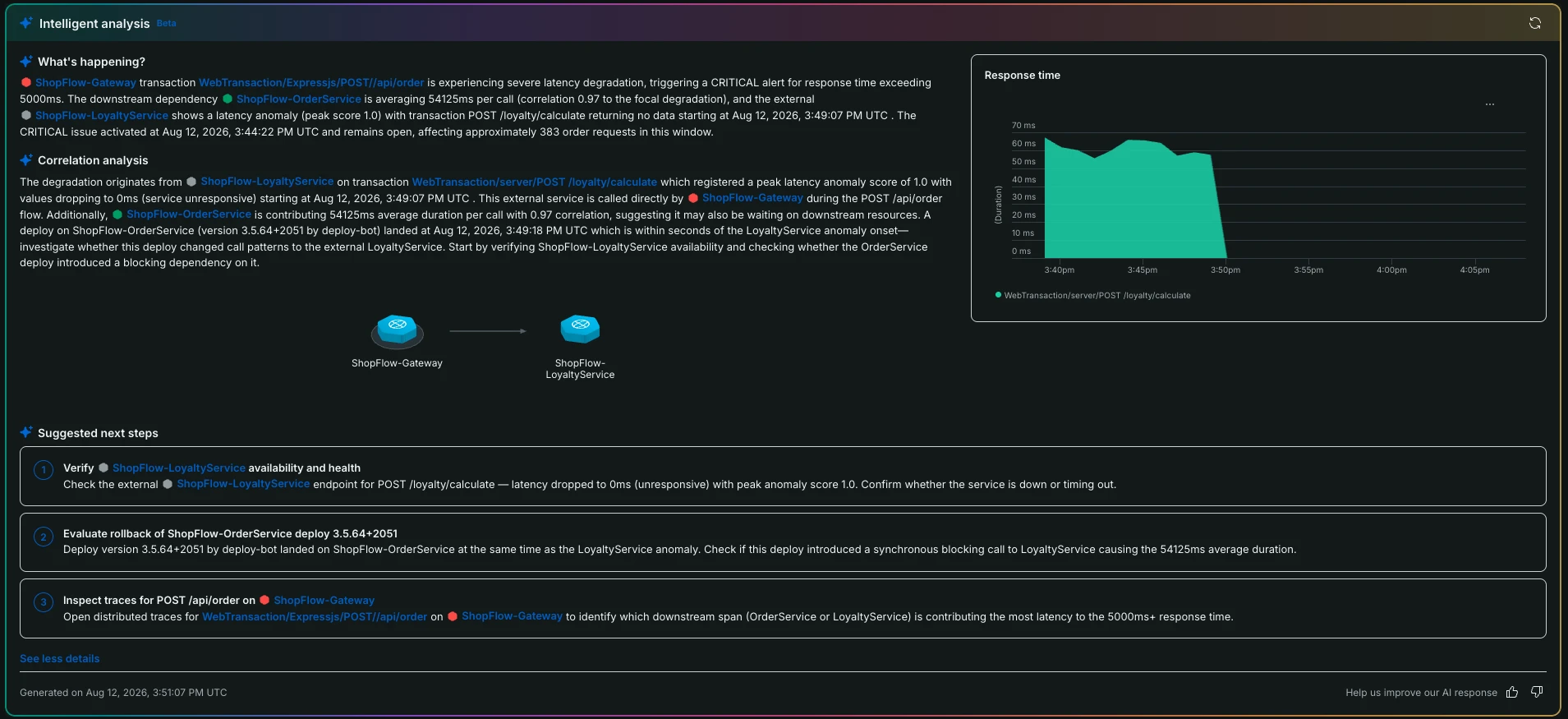
Located at the top of the Summary page, the AI Summary feature serves as your starting point for investigating workload degradation. By clicking Generate insights, New Relic AI automatically analyzes the real-time state of all entities participating in your workload. This provides an instant, synthesized overview of your system's health, offering initial insights and guided suggestions so you know exactly which services or metrics to investigate first.
重要
This feature uses generative AI. Always verify AI insights against actual data before taking action. Insights are suggestions to guide investigation, not definitive diagnoses.
Requirements:
- New Relic AI must be opted-in for your account. Learn how to enable New Relic AI.
- Only available on AWS infrastructure; not available to FedRAMP customers.
重要
Pricing: AI insights generation incurs additional costs based on your New Relic AI usage. For more on New Relic AI pricing, see New Relic AI pricing documentation.