This guide shows you how to obtain a service key from the SAP Cloud Application Lifecycle Management (CALM) API instance. You'll need this service key to configure monitoring for SAP Cloud ALM.
Prerequisites
- Access to CALM subaccount with appropriate permissions
- Confirmation from your BTP (Business Technology Platform) administrator regarding Space
- Required scopes identified from Managing Scopes
Log in to the CALM (Cloud Application Lifecycle Management) subaccount. Then click Instances and Subscriptions.
Click Create at the top right.
In the pop-up screen, select:
- Service: SAP Cloud ALM API
- Plan: Standard
- Runtime Environment: Cloud Foundry
- Space: Check with your BTP administrator
- Instance Name: Follow your organization naming convention
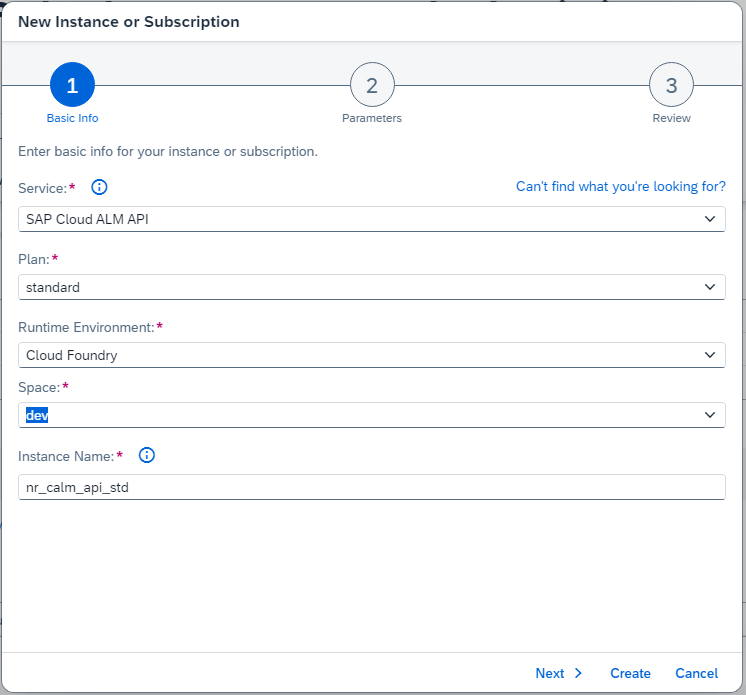
Click Next.
Review and insert required scopes from Managing Scopes along with the instance name under the parameters tab.
Important
Keep only the scopes that provide Read authorization, for example:
$XSMASTERAPPNAME.calm-api.landscape.read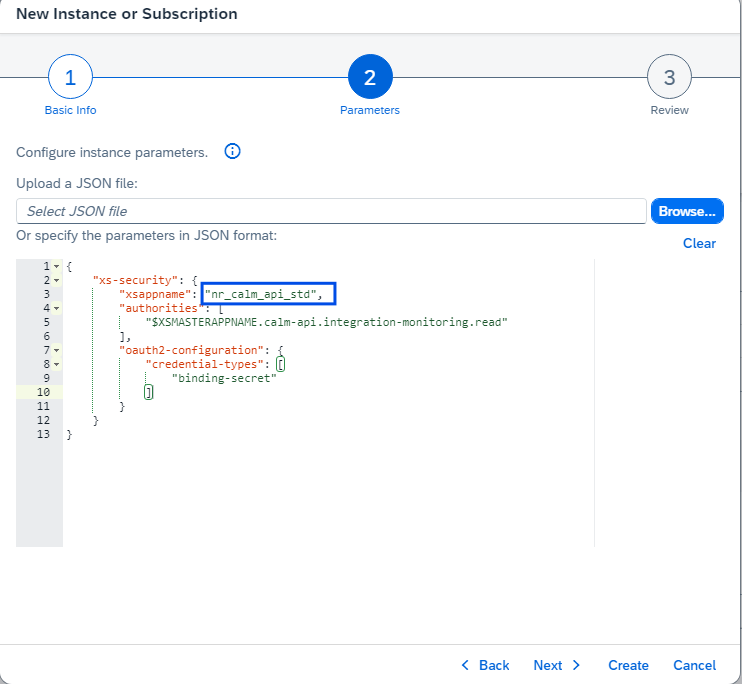 {"xs-security": {"xsappname": "<your service instance>","authorities": ["$XSMASTERAPPNAME.calm-api.analytics.providers.read","$XSMASTERAPPNAME.calm-api.analytics.read","$XSMASTERAPPNAME.calm-api.bm.read","$XSMASTERAPPNAME.calm-api.bsm.read","$XSMASTERAPPNAME.calm-api.csa.read","$XSMASTERAPPNAME.calm-api.defects.read","$XSMASTERAPPNAME.calm-api.demo-tasks.read","$XSMASTERAPPNAME.calm-api.documents.read","$XSMASTERAPPNAME.calm-api.exm.personal.read","$XSMASTERAPPNAME.calm-api.exm.read","$XSMASTERAPPNAME.calm-api.features.personal.read","$XSMASTERAPPNAME.calm-api.features.read","$XSMASTERAPPNAME.calm-api.hm.read","$XSMASTERAPPNAME.calm-api.iep.read","$XSMASTERAPPNAME.calm-api.integration-monitoring.personal.read","$XSMASTERAPPNAME.calm-api.integration-monitoring.read","$XSMASTERAPPNAME.calm-api.jobs.read","$XSMASTERAPPNAME.calm-api.landscape.read","$XSMASTERAPPNAME.calm-api.logs.read","$XSMASTERAPPNAME.calm-api.metrics.read","$XSMASTERAPPNAME.calm-api.processauthoring.read","$XSMASTERAPPNAME.calm-api.processmanagement.read","$XSMASTERAPPNAME.calm-api.projects.read","$XSMASTERAPPNAME.calm-api.requirements.read","$XSMASTERAPPNAME.calm-api.rum.read","$XSMASTERAPPNAME.calm-api.sum.read","$XSMASTERAPPNAME.calm-api.traces.read"],"oauth2-configuration": {"credential-types": ["binding-secret"]}}}
Click Next to review the details.
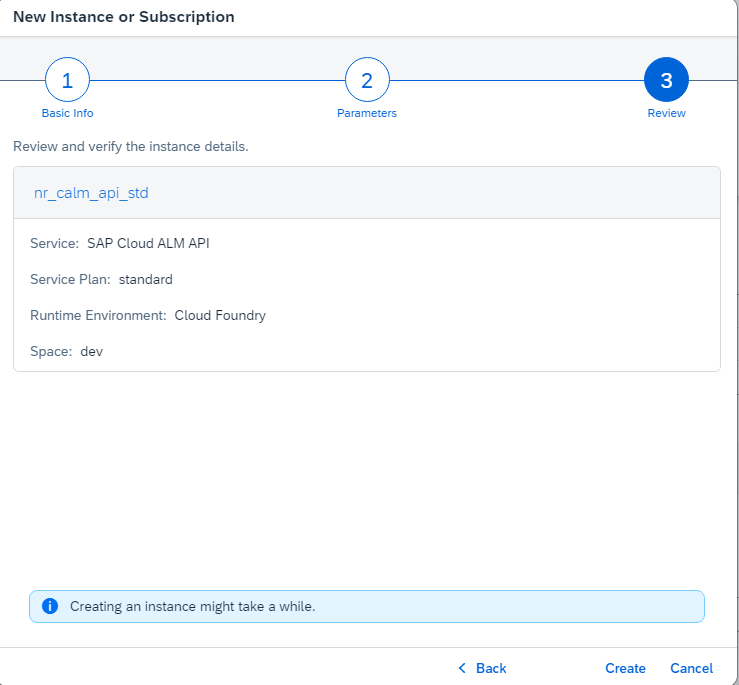
Click Create.
After you create the instance, locate the service under the Instances tab.
Click the ellipsis (
...) in the row of your newly created instance, then select Create Service Key.Enter a Service Key Name and select Key Type:
ClientId/Secret.Click Create.
Click the ellipsis (
...) in the row of your service key, then select Download.
The service key file downloads as a JSON file. Store it securely. You'll need the credentials from this file to configure your monitoring setup.