Once your Kafka monitoring is configured with OpenTelemetry, your metrics will appear across multiple locations in New Relic. This guide shows you where to find your data and how to query it effectively.
Navigate to your Kafka data
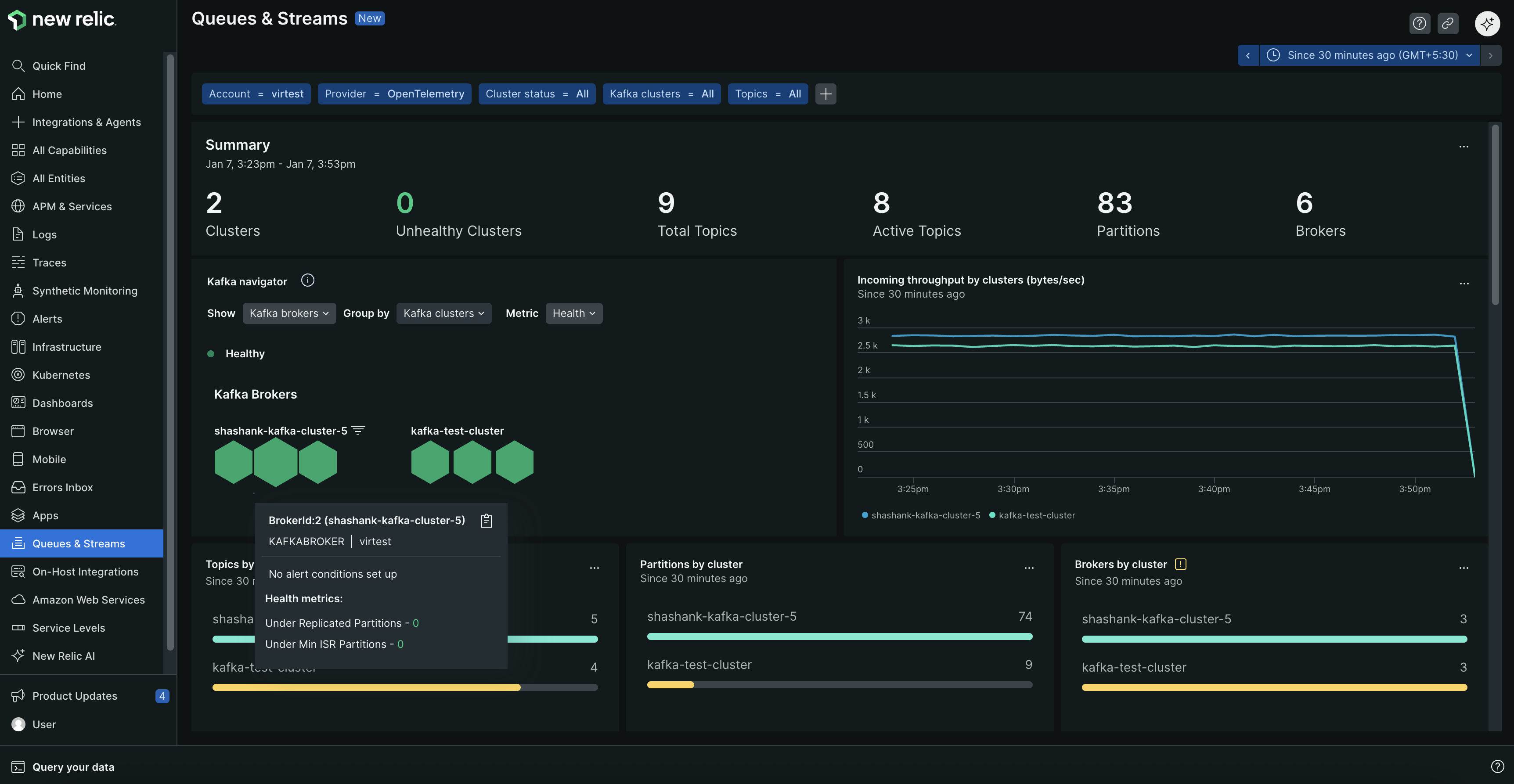
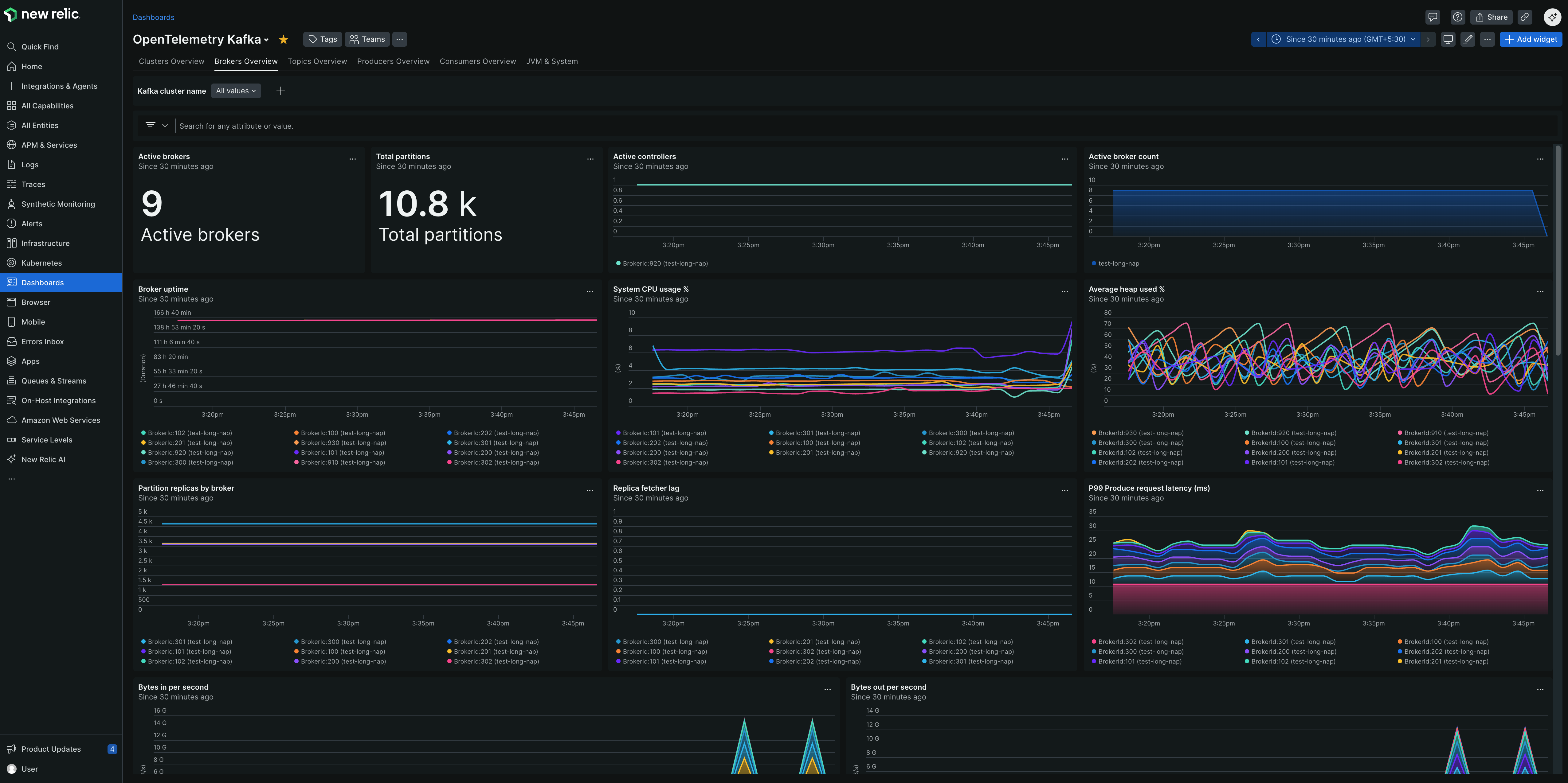
Your Kafka metrics appear in several places across the New Relic platform, each optimized for different use cases:
1. Entity explorer
Best for: Quick health checks and entity relationships
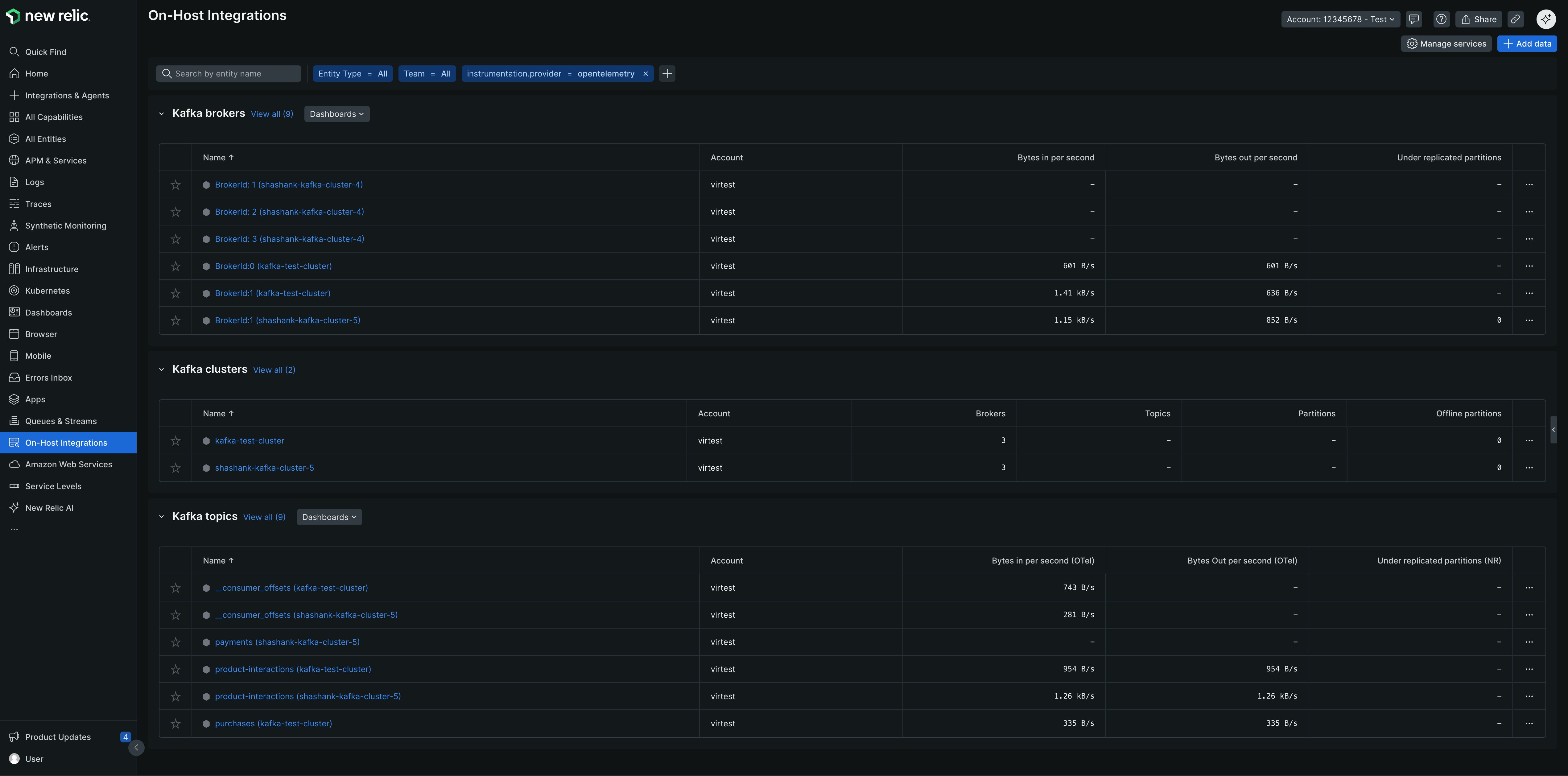
Go to one.newrelic.com > All capabilities > On host integrations
View Kafka broker, cluster, and topics entity types
Cluster health: Broker count, under-replicated partitions, controller status
Consumer performance: Lag, throughput, group membership
Topic metrics: Message rates, partition counts, replication status
Resource utilization: Network I/O, JVM metrics, disk usage
Set up alerts
Tip
New Relic provides pre-configured golden metric alerts for Kafka. When creating a new alert condition, select Guided mode → Host integrations → Kafka (brokers, cluster, or topics) to view recommended alert templates.
You can also create custom alerts using NRQL queries:
Alert when consumer lag exceeds your acceptable threshold:
FROM Metric SELECT
latest(kafka.consumer_group.lag_sum)
WHERE kafka.cluster.name ='production-cluster'
AND instrumentation.provider='opentelemetry'
FACET group
Recommended threshold: Alert when lag > 10,000 messages for critical consumer groups.
Alert when partitions lose replication:
FROM Metric SELECT
sum(kafka.partition.under_replicated)
WHERE kafka.cluster.name ='production-cluster'
AND instrumentation.provider='opentelemetry'
Recommended threshold: Alert when any partitions become under-replicated (> 0).
Alert immediately when partitions go offline:
FROM Metric SELECT
latest(kafka.partition.offline)
WHERE kafka.cluster.name ='production-cluster'
AND instrumentation.provider='opentelemetry'
Recommended threshold: Alert immediately when any partitions go offline (> 0).
Alert when partitions fall below minimum in-sync replicas:
FROM Metric SELECT
latest(kafka.partition.under_min_isr)
WHERE kafka.cluster.name ='production-cluster'
AND instrumentation.provider='opentelemetry'
FACET broker.id
Recommended threshold: Alert when any partitions fall below minimum ISR (> 0).