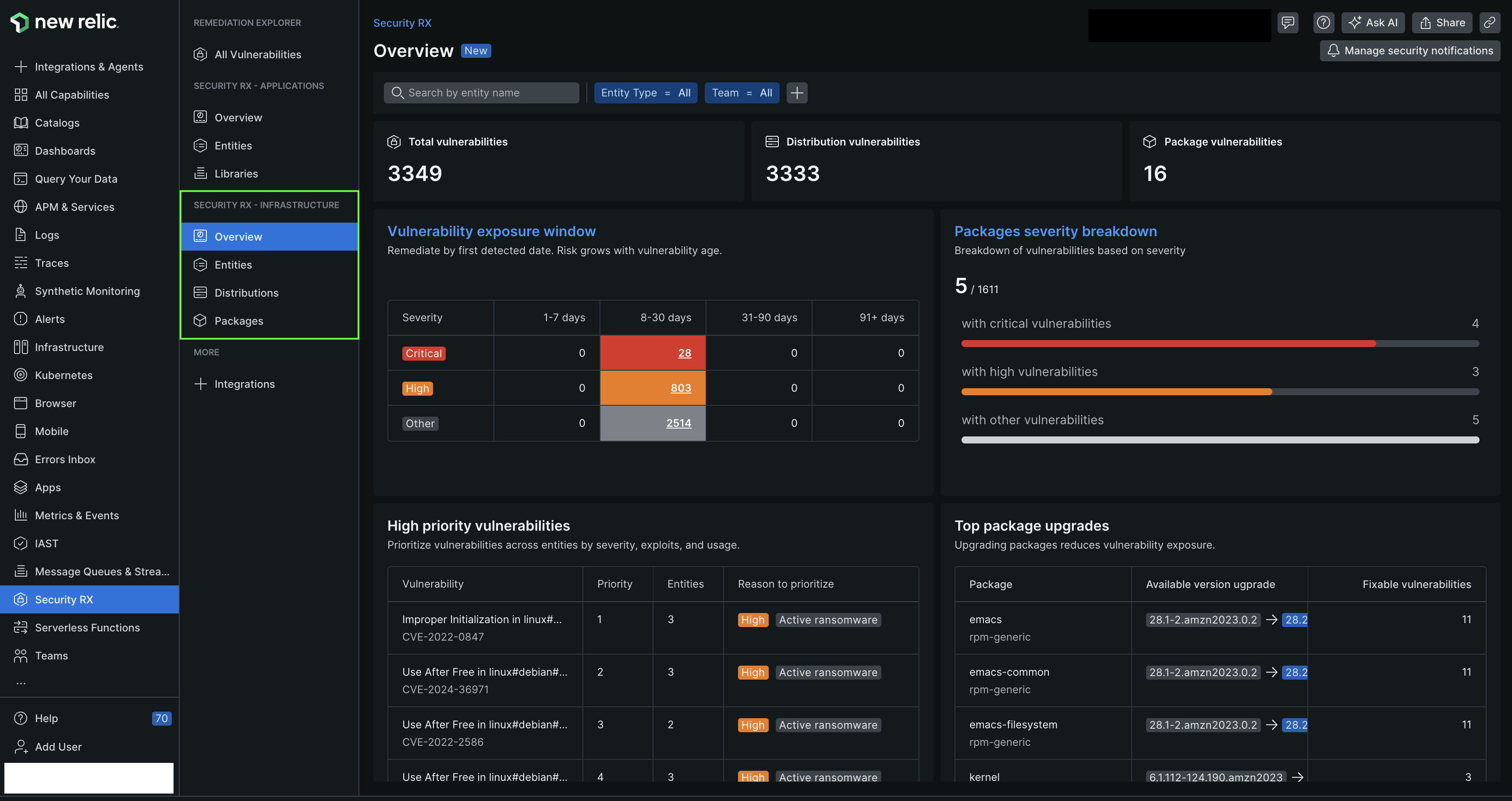
Once vulnerability data starts flowing into New Relic, you can access your data through various scoped views. To view a summary of your infrastructure, navigate to the Security RX > Security RX - Infrastructure page. This page provides curated dashboards representing the vulnerability of your system and baseline security hygiene.
Dig deeper into the security of your system by auditing the vulnerability of all your active OS distributions and packages:
To review the vulnerability status of all your entities, from the Security RX - Infrastructure > Overview page, select Entities. This view shows all your entities and allows you prioritize vulnerability remediation based on weighted vulnerabilities scores and severity profiles.
Click an entity to open up a scoped entity view. Learn more about our scoped entity view in our document on monitoring host-level security.
In the Security RX page, under Security RX - Infrastructure section, select Distributions to review the security impact of all OS distributions in your system. This view shows all the distributions used by your services and their security impact through vulnerability counts and severity.
Click a distribution to view the current version and its associated vulnerabilities. This view shows all the vulnerabilities detected in the distribution and their severity profile.
You can upgrade to the suggested distribution version to mitigate the vulnerabilities.
In the Security RX page, under Security RX - Infrastructure section, select Packages to review the security impact of all packages in your infrastructure. This view shows all the packages used by your services and their security impact through vulnerability counts and severity.
Click a package to view the current version and its associated vulnerabilities. This view shows all the vulnerabilities detected in your packages and their severity profile.
You can upgrade to the suggested package version to mitigate the vulnerabilities.