New Relic's instrumentation for AWS Lambda offers deep visibility into the inner workings of your functions. By adding the New Relic agent to your function, each invocation is monitored by New Relic. This enables you to track the duration of function invocations, monitor errors, and record details about the source events and your function's responses.
Key features
Gain a unified view: Monitor your Lambda functions within the same APM interface you use for your other services. View serverless telemetry including performance metrics, traces, logs (when configured), and errors—all correlated in one place, eliminating the need to switch between different UIs.
Leverage the full power of APM: Apply the comprehensive suite of New Relic APM features directly to your Lambda functions. This includes advanced distributed tracing, detailed error analysis with Error Inbox, service maps that incorporate your Lambda functions, transaction dashboards, and more. For more information, refer to the APM documentation.
Achieve complete end-to-end request tracing: Seamlessly trace requests as they flow from your front-end services or other microservices, through your AWS Lambda functions, and onward to any connected components. This provides a clear, uninterrupted picture of request latency and dependencies across your entire architecture. For more information, refer to the distributed tracing documentation.
Simplify root cause analysis: By consolidating serverless data with the rest of your application telemetry in APM, you can quickly identify and diagnose the issues, whether they originate within a Lambda function or an upstream/downstream service.
Understand serverless impact better: Clearly see how your Lambda functions contribute to the overall health and performance of your applications and key business transactions, providing deeper insights into their role within your digital services.
How you can configure AWS Lambda monitoring?
To monitor your AWS Lambda with New Relic, you can configure instrumentation across different environments, runtimes, and deployment methods. The following steps guide you through the configuration process:
Compatibility and requirements
Ensure that your AWS Lambda meets our compatibility and requirements.
(Optional) Link your AWS account to New Relic
By linking accounts, you're granting New Relic permission to create an inventory of your AWS account and automatically gather CloudWatch metrics for your Lambda functions. After you've linked accounts, resources in your AWS account appear as entities in the entity explorer. Lambda function entities will be found in the Serverless Functions view.
You can link your AWS and New Relic account by one of the following integration methods.
For New Relic to monitor your Lambda functions, you need to set up an integration between New Relic and AWS. We recommend using Metric Streams to help reduce latency and avoid throttling of our polling requests.
If you're not using a Metric Streams integration, you can choose to set up an API Polling integration instead. By default, an API Polling integration with the Lambda service enabled will poll every 5 minutes for CloudWatch metrics.
You can use the newrelic-lambda-cli to set up an API Polling integration, but not a Metric Streams integration.
$newrelic-lambda integrations install --nr-account-id YOUR_NR_ACCOUNT_ID \>--nr-api-key YOUR_NEW_RELIC_USER_KEYOne step in the integrations install command will create a NEW_RELIC_LICENSE_KEY secret in AWS Secrets Manager for improved security. This is configurable with a --disable-license-key-secret flag, along with other options and flags.
Instrument your AWS Lambda function
To instrument your Lambda function, you need an agent, and an extension. These components are bundled together in the New Relic Lambda layer. If using Lambda layers isn't an option for you, you can manually incorporate the agent and extension into your function. Based on the requirement of your Lambda function, select one of the following instrumention methods:
Use this method if your Lambda function is packaged as a Zip file and you can add layers. Layers are distribution mechanism for libraries, custom runtimes, and other dependencies. For more information, refer to Layered instrumentation documentation.
Use this method if your Lambda function can't use layers, ensuring quick deployment without the necessity to modify layers. For more information, refer to SDK based instrumentation documentation.
Use this method if your Lambda function runs inside a container. Containers provide a consistent, isolated execution environment for your applications. New Relic provides a pre-built Docker image that includes the New Relic Lambda layer, the New Relic Lambda extension, and the New Relic agent. For more information, refer to Containerized instrumentation documentation.
Configure environment variables
Tip
- When you instrument New Relic's Lambda layer with the New Relic CLI, your mandatory environment variables are configured automatically. However, you may want to change some of the default settings and configure your Lambda functions with the environment variables that match your monitoring needs.
- If you're using the New Relic Lambda extension, you need to configure the environment variables manually.
Environment variables are used to configure the New Relic agent and Lambda extension. It's important to set these variables correctly to ensure that your Lambda functions are monitored correctly.
Find your data in New Relic
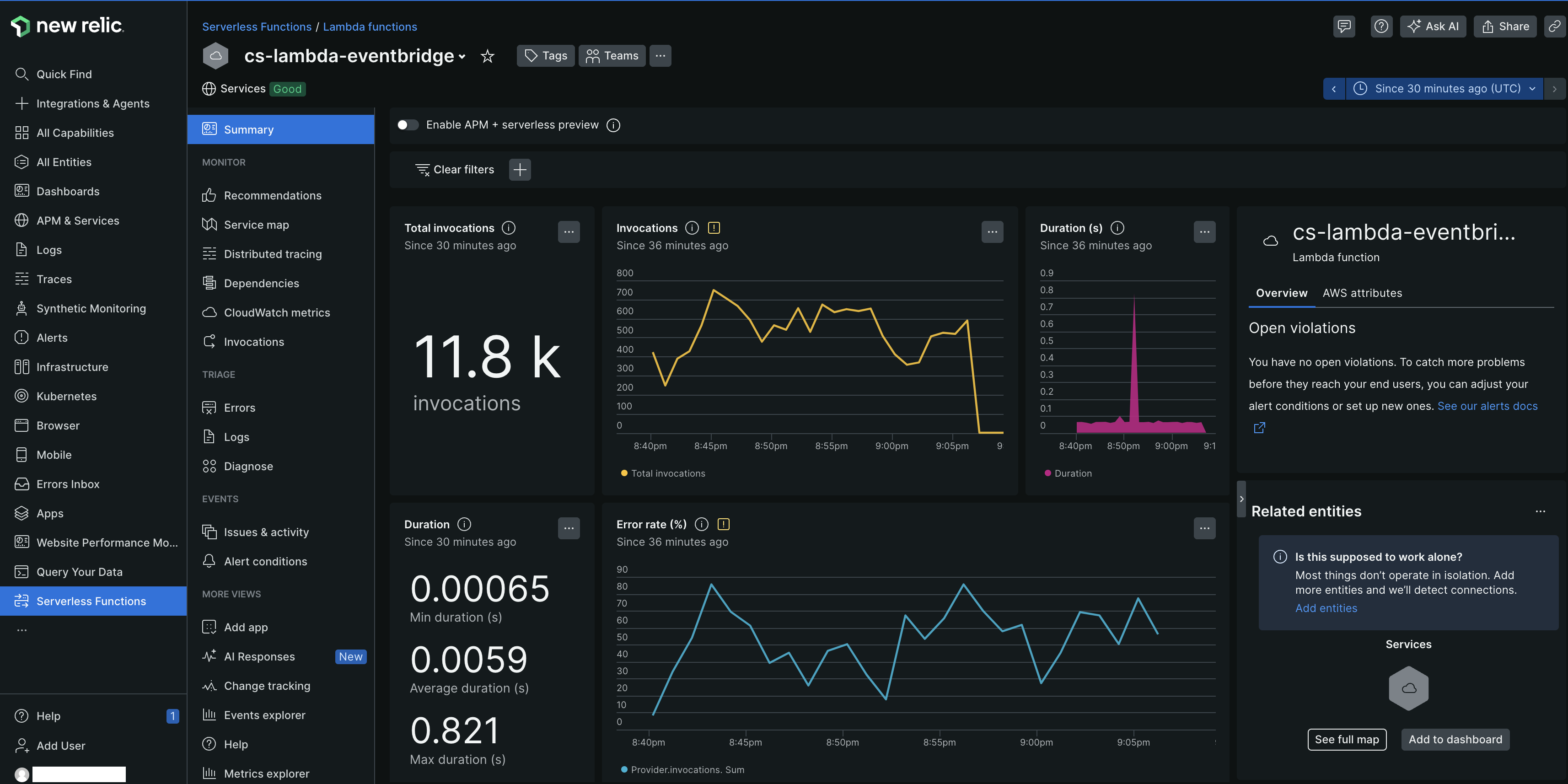
After you instrument your AWS Lambda functions, you can find and use the data in the New Relic APM interface. The data is organized into several key areas, each providing different insights into the performance and health of your Lambda functions.
Try our example functions
After you've instrumented New Relic's Lambda layer, we strongly recommend trying out our example functions. These working examples should be used as a starting point for instrumenting your own serverless functions. Using these examples can help you become familiar with the the New Relic Lambda layer, testing the account link, and they can be used as a reference for your own instrumentation. Each example demonstrates adding permissions, runtime-specific techniques for wrapping your handler, managing function log retention in CloudWatch, and more.
While there are many ways to manage and deploy Lambda functions, AWS CloudFormation is the mechanism we use for our examples.
Our examples are published, alongside the New Relic Lambda Extension, in this GitHub repository. There's one for each Lambda runtime New Relic supports:
You can also learn how to instrument distributed tracing into a non-trivial serverless application in our distributed tracing example. It illustrates manual trace propagation for SQS and SNS, two of the more popular services that might invoke Lambda functions, with Node, Python, Ruby and Java functions.
Tip
When manually testing, telemetry data can be delayed. We recommend waiting seven seconds before invoking the function again, allowing any buffered telemetry to be delivered.
Cost consideration
Implementing serverless monitoring for AWS Lambda may incur additional AWS charges. The newrelic-log-ingestion Lambda function, which reports data to New Relic, is considered a third-party service, and any associated AWS charges are the user's responsibility.
By using the newrelic-lambda-extension included in New Relic Lambda layers, you can avoid sending logs and telemetry data via CloudWatch, although configuring the newrelic-log-ingestion function as a CloudWatch fallback is possible for high availability needs.
Enabling serverless monitoring for AWS Lambda may result in Amazon Web Services charges. Our newrelic-log-ingestion Lambda function, which reports your Lambda data to us, is considered a Third Party Service: AWS charges resulting from your use of it are your responsibility.
If you use our newrelic-lambda-extension bundled in our New Relic Lambda Layers, you can avoid sending logs and telemetry via CloudWatch and the newrelic-log-ingestion function. It's also possible to configure the newrelic-log-ingestion function as a CloudWatch fallback method for functions that require high availability of observability data.
Pricing
Your use of the New Relic APM + Serverless Convergence is billed as an APM entity in accordance with your Order. For further details on pricing, please contact our sales team or refer to your Order.