このページでは、AAR ファイルを使用して Streaming Video & Ads エージェントを手動でインストールする場合のインストール手順の概要を説明します。 コード例を含む完全なインストレーションについては、ガイド付きインストールを使用してください。
video-エージェント-androidリポジトリのクローンを作成します。
Android Studioで開いてください。
View > Tool Windows > Gradleに移動してGradleツールウィンドウを開きます。
Gradleツールウィンドウで、 NRVideoProject > Tasks > buildを展開し、 assembleをダブルクリックします。これによりプロジェクトがビルドされ、各モジュールのフォルダbuild > outputs > aar内に AAR ライブラリ ファイルが生成されます。
プロジェクトで、 File > New > New Moduleに移動し、 .JAR/.AARパッケージをインポートして、 Nextをクリックします。
前の手順で生成した AAR ファイルを選択し、 Finishをクリックします。
必要なAARファイルごとに、手順5と6を繰り返してください。
- NewRelicVideoCore.aar (必須):コアビデオエージェント機能
- NRExoPlayerTracker.aar (必須):ExoPlayerトラッキング
- NRIMATracker.aar (オプション):IMA SDKを使用した広告トラッキング
アプリモジュールのbuild.gradleファイルに、以下の依存関係を追加してください。
dependencies { ... implementation project(":NewRelicVideoCore") // Required: Core video agent implementation project(":NRExoPlayerTracker") // Required: ExoPlayer tracking implementation project(':NRIMATracker') // Optional: Ad tracking with IMA}注:広告追跡機能が必要な場合のみ、 NRIMATrackerを含めてください。
通知バーのSync Nowクリックするか、 File > Sync Project with Gradle Filesに移動して、プロジェクトをGradleファイルと同期します。
ビデオエージェントを初期化します
アプリケーションのonCreate()メソッドまたはアクティビティで、New Relicビデオエージェントを初期化します。詳細なコード例と実装手順については、ガイド付きインストールを参照してください。
ビデオプレーヤーのトラッキングを設定する
ニーズに合わせてトラッカーを設定してください。
ExoPlayerトラッカーのみ:ビデオ再生監視のためにExoPlayerトラッキングを設定します。
ExoPlayerとIMAトラッカー:動画再生と広告トラッキングのために、ExoPlayerとIMAの両方のトラッキングを設定します。
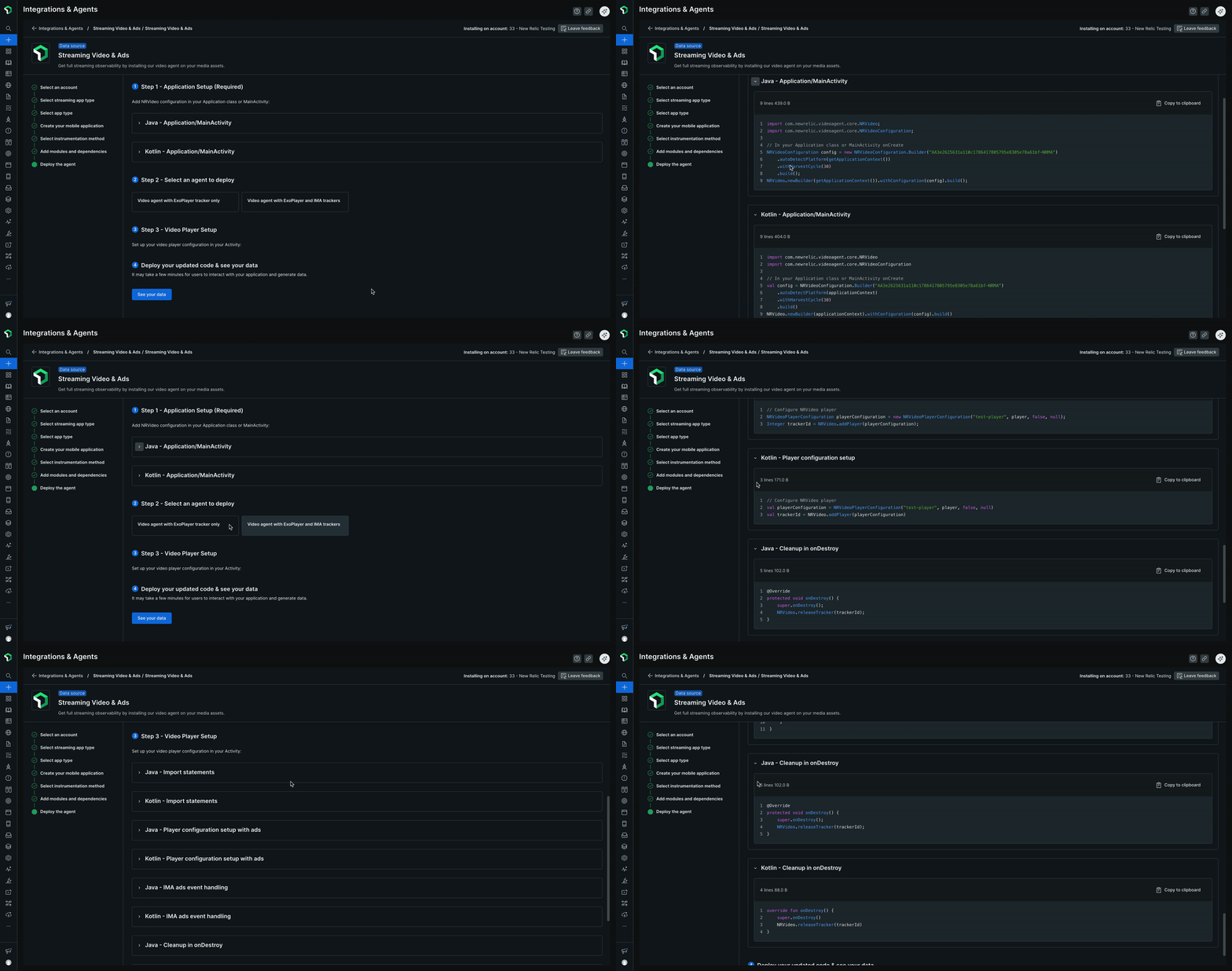
完全な実装コード例については、ガイド付きインストールを参照してください。
アプリケーションを構築してデプロイすると、New Relicでビデオ追跡データを確認できます。
次は何ですか?
- データの表示: New Relicで利用できるさまざまなビューについて学びましょう ストリーミングビデオと広告
- 互換性要件:サポートされているプラットフォームとバージョンを確認してください
- エージェント情報を更新してください:エージェント情報を常に最新の状態に保ってください