Workload vous aide à organiser, monitorer et dépanner l'ensemble de votre pile technologique en regroupant les entités associées dans des unités pertinentes pour l'entreprise. Au lieu de suivre séparément des dizaines de services, d'hôtes et d'applications, Workload vous offre une vue unifiée de tout ce qui alimente une fonction métier, une équipe ou une expérience client spécifique.
Pourquoi utiliser les charges de travail ?
Les applications modernes s'étendent sur de multiples services, hôtes, bases de données et dépendances tierces. Workload permet de relever le défi du monitoring des systèmes distribués complexes en :
- Simplifier l'observabilité: Visualisez la santé et les performances de l'ensemble de votre stack en un seul endroit
- Accélérer le dépannage: Identifiez rapidement les composants à l'origine des problèmes
- Améliorer la collaboration: partagez l'état du système avec les équipes sans nécessiter de connaissances techniques approfondies
- Alignement sur les résultats métier: regroupez les entités par fonction métier, parcours client ou responsabilité d'équipe
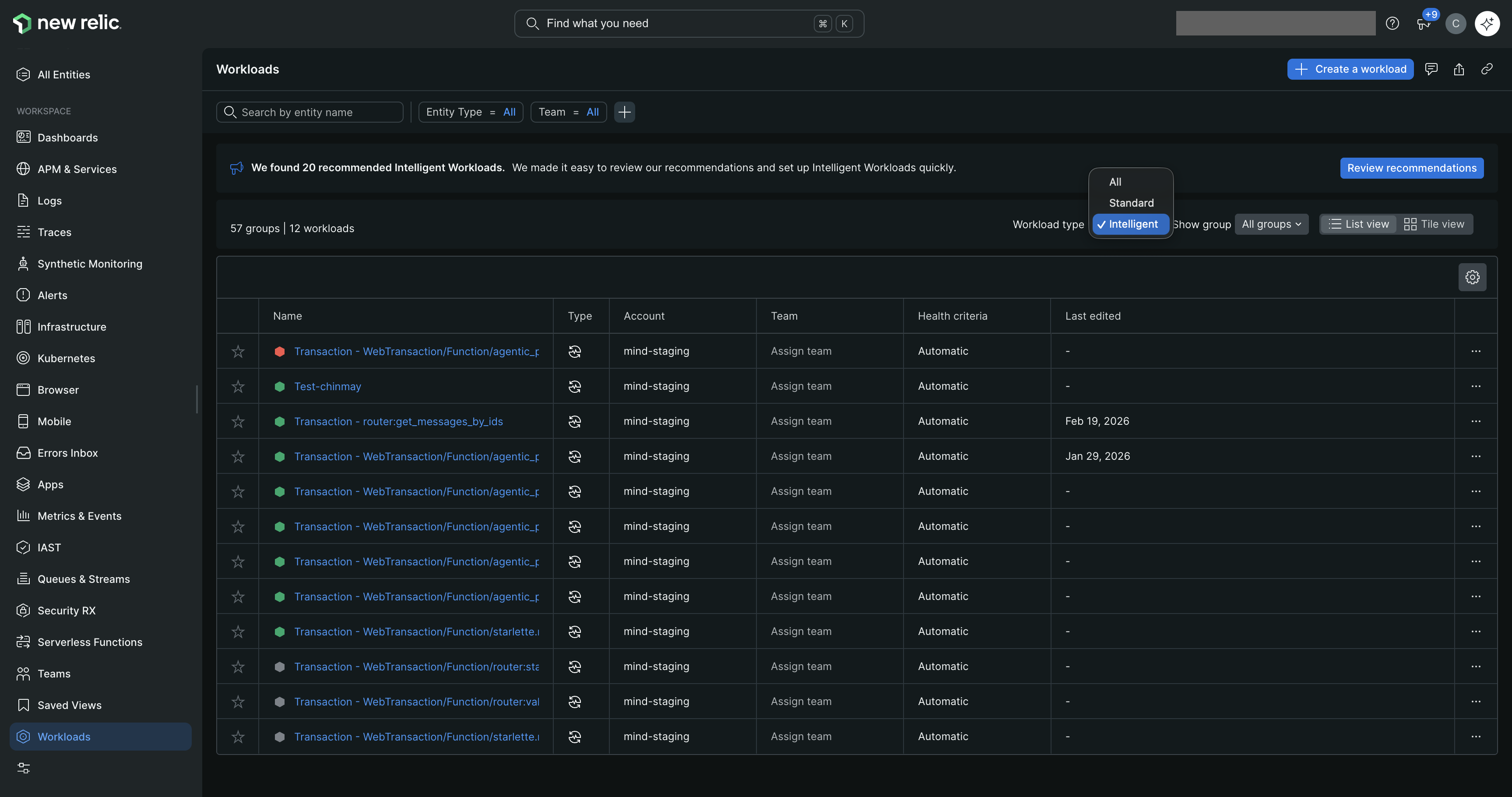
one.newrelic.com > All capabilities > Workloads: Workload offre une vue unifiée de la santé du système sur toutes vos entités monitorées.
Ce que vous pouvez inclure dans la charge de travail
Les deux types de charges de travail peuvent inclure :
- Toute entité monitorée par New Relic (applications, services, hôtes, bases de données, etc.)
- Dashboards
- Autres charges de travail (utile pour les structures d'équipe complexes)
Standard workloads vous permettent de sélectionner manuellement ces entités ou de définir des requêtes dynamiques.
Intelligent workloads incluent automatiquement toutes les entités participant au flux de transaction sélectionné.
Types de charges de travail
New Relic propose deux types de charges de travail, chacune conçue pour des cas d'utilisation différents :
Vous définissez manuellement les entités appartenant à la charge de travail à l'aide de requêtes, de tags ou en sélectionnant des entités spécifiques. L'appartenance se met à jour lorsque vos requêtes correspondent à de nouvelles entités ou que vous les ajoutez/supprimez manuellement.
Fonctionnalités clés
Découverte d'entités: Requêtes manuelles ou basées sur des tags
Mises à jour de l'appartenance: lorsque des requêtes correspondent à de nouvelles entités ou à des modifications manuelles
Complexité de configuration: Simple - sélectionner des entités ou écrire des requêtes
État de santé: Règles configurables
Alertes: Sur le statut de la charge de travail
Important
Cette fonctionnalité est actuellement en version préliminaire publique.
Découvre et suit automatiquement les entités à partir des traces distribuées de Transaction 360. L'appartenance se met à jour toutes les 5 minutes à mesure que votre système évolue, avec des insights IA et des KPI personnalisés disponibles.
Fonctionnalités clés
Découverte d'entités: Automatique via Transaction 360
Mises à jour des membres: automatiquement toutes les 5 minutes
Complexité de la configuration: Nécessite Transaction 360 et le traçage distribué
Insights IA: Fournit une analyse des performances et une investigation pour les charges de travail
KPI personnalisés: Définissez et suivez des KPI personnalisés en fonction de vos besoins métier spécifiques
État de santé: Règles configurables
Alertes: Sur l'état de la charge de travail, les KPI et les Golden Metrics de la charge de travail
Exigences
Pour utiliser Intelligent workload, vous avez besoin de :
Transaction 360: Doit être activé avec le traçage distribué dans votre compte New Relic
Données de trace: Traces distribuées récentes pour les transactions que vous souhaitez monitorer
Autorisations: Possibilité de créer et de gérer des charges de travail dans votre compte
Limites
Infrastructure AWS uniquement: non disponible dans les environnements Azure ; non disponible pour les clients FedRAMP en raison des exigences de traitement de l'IA pour les insights d'IA
Quand utiliser la charge de travail intelligente
La charge de travail intelligente est idéale pour :
Transactions métier critiques avec des architectures dynamiques
Dépendances complexes où la participation des entités change fréquemment
Scénarios nécessitant le suivi des résultats métier avec des KPI personnalisés
Les équipes ayant besoin d'insights basés sur l'IA pour un dépannage plus rapide
Conseil
Vous pouvez utiliser les deux types ! De nombreuses organisations utilisent la charge de travail Standard pour l'infrastructure et la charge de travail Intelligent pour les transactions métier critiques.