Esta página proporciona una descripción general de los pasos de instalación al usar el código fuente para instalar manualmente el agente de Streaming Video & Ads. Para la instalación completa con ejemplos de código, utilice la instalación guiada.
Clona el repositorio video-agent-android.
En tu proyecto de Android, ve a File > New > Import Module.
Ingrese la ubicación del directorio del módulo de biblioteca y haga clic en Finish.
Importante
El directorio del módulo de la biblioteca se encuentra en el repositorio que acaba de clonar. Módulos de ejemplo: NewRelicVideoCore, NRExoPlayerTracker, NRIMATracker.
Repita los pasos 2 y 3 con todos los módulos que desee incluir.
En el archivo build.gradle del módulo de tu aplicación, agrega lo siguiente:
dependencies { ... implementation project(":NewRelicVideoCore") implementation project(":NRExoPlayerTracker") implementation project(':NRIMATracker')}Haga clic en Continue.
Configurar el seguimiento del reproductor de video
Seleccione el tipo de agente que coincida con su implementación:
Agente de video solo con rastreador de ExoPlayer: Para el seguimiento de la reproducción de video
Agente de video con rastreadores de ExoPlayer e IMA: Para la reproducción de video y el seguimiento de anuncios
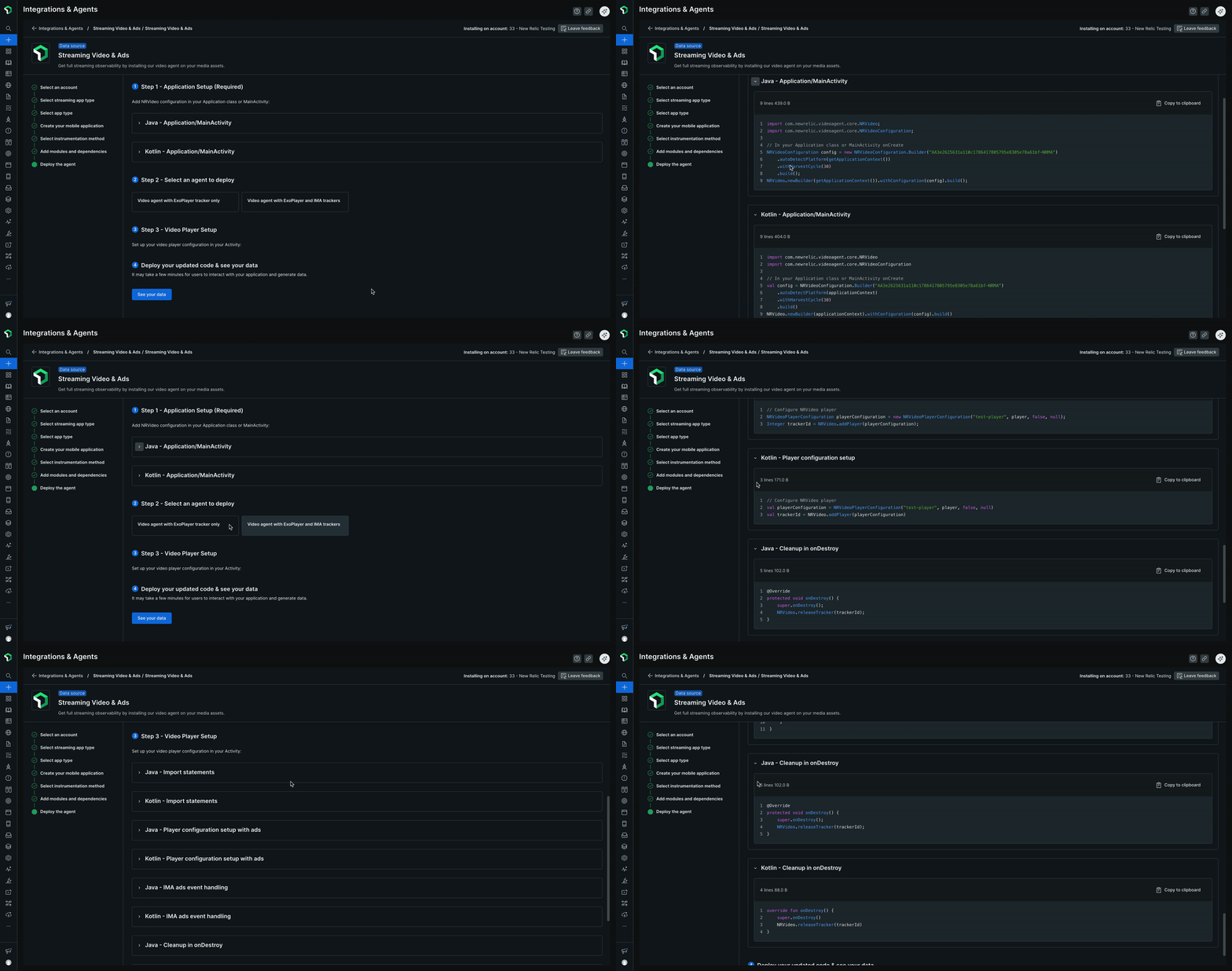
Haz clic en See your data para desplegar tu código actualizado y ver los datos.
¿Que sigue?
- Ver tus datos: Conoce las diferentes vistas disponibles en New Relic para monitorear tu video en streaming y anuncios
- Requisitos de compatibilidad: Verifica las plataformas y versiones compatibles
- Actualizar el agente: mantenga su agente actualizado